Convert IFC to GLTF Free | Modelo

IFC

IFC is a 3D file format used in the Architecture Engineering Construction (AEC) segment. It’s supported in major software packages like Revit, Tekla Structures, or SmartPlant3D. The main value of the IFC is in accordance with the Building Information Modeling(BIM) requirements. This data may include not only 3D geometry but tons of information pieces like authors, milestones and deadlines, supplier information, and so on. Prior to the beginning of the construction, the database is created. It will include all the information, related to the building. Once the process kicks off the project team members will populate the database with all the aspects of the future building.

glTF

glTF (derivative short form of GL Transmission Format) is a file format for 3D scenes and models using the JSON standard. It is an API-neutral runtime asset delivery format developed by the Khronos Group 3D Formats Working Group. It was initially intended to be an efficient, interoperable format with minimum file size and runtime processing by apps.

Being called ‘JPEG of 3D’, GLTF is indeed a star of 3D model formats. The standard for many 3D applications and game engines, it is especially prominent as a common publishing format for 3D content tools and as the format of choice for web apps.

Convert 3D Max files to glTF in Modelo

Modelo is a free online platform that enables users to view, modify, transform and publish 3D models. It only takes 2 steps to convert Rhino models to glTF files.

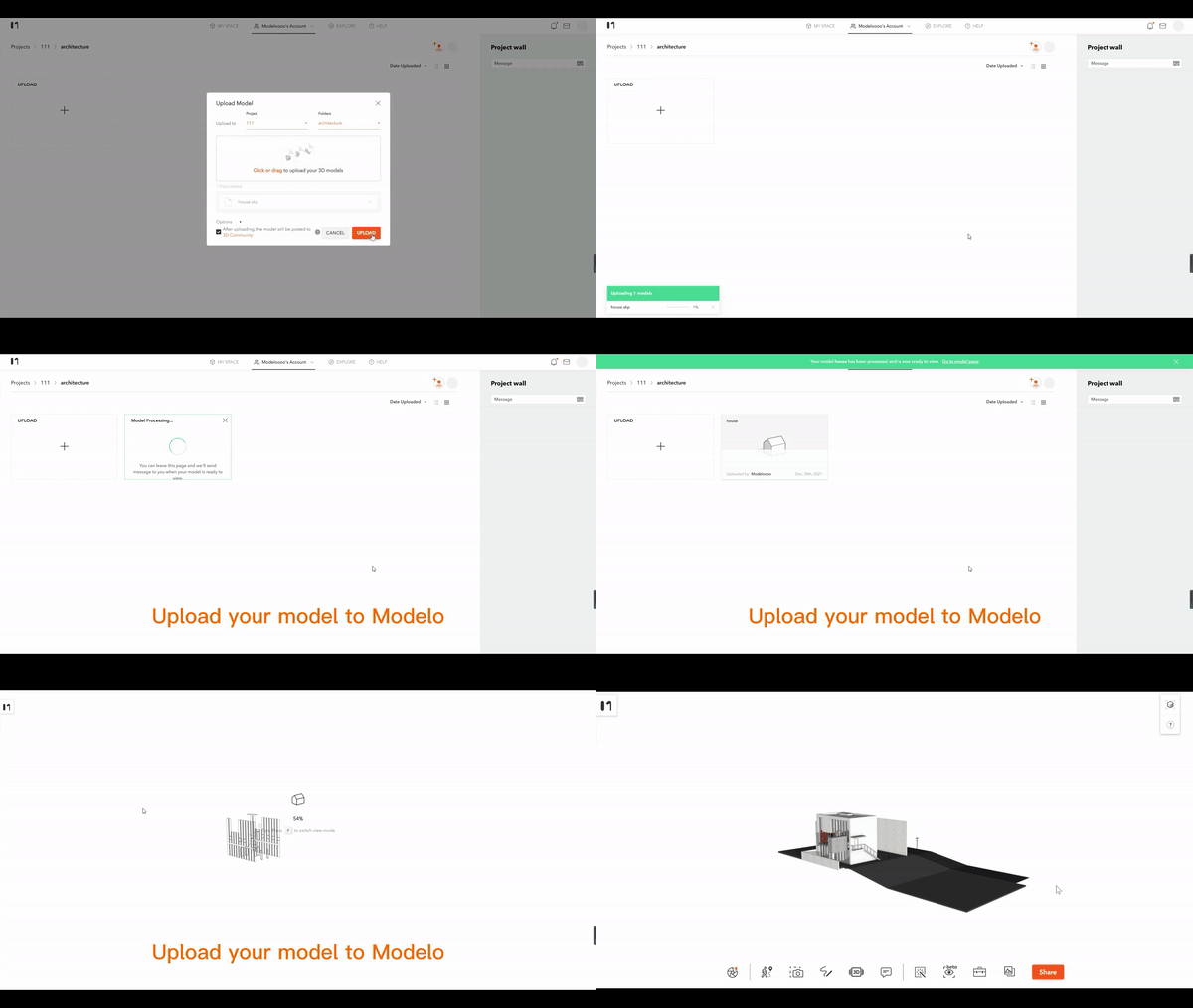
Upload Sketchup models to Modelo

No matter your model is in any format such as FBX, obj, 3dm, SKP, etc., you can directly upload the model by dragging it to Modelo.
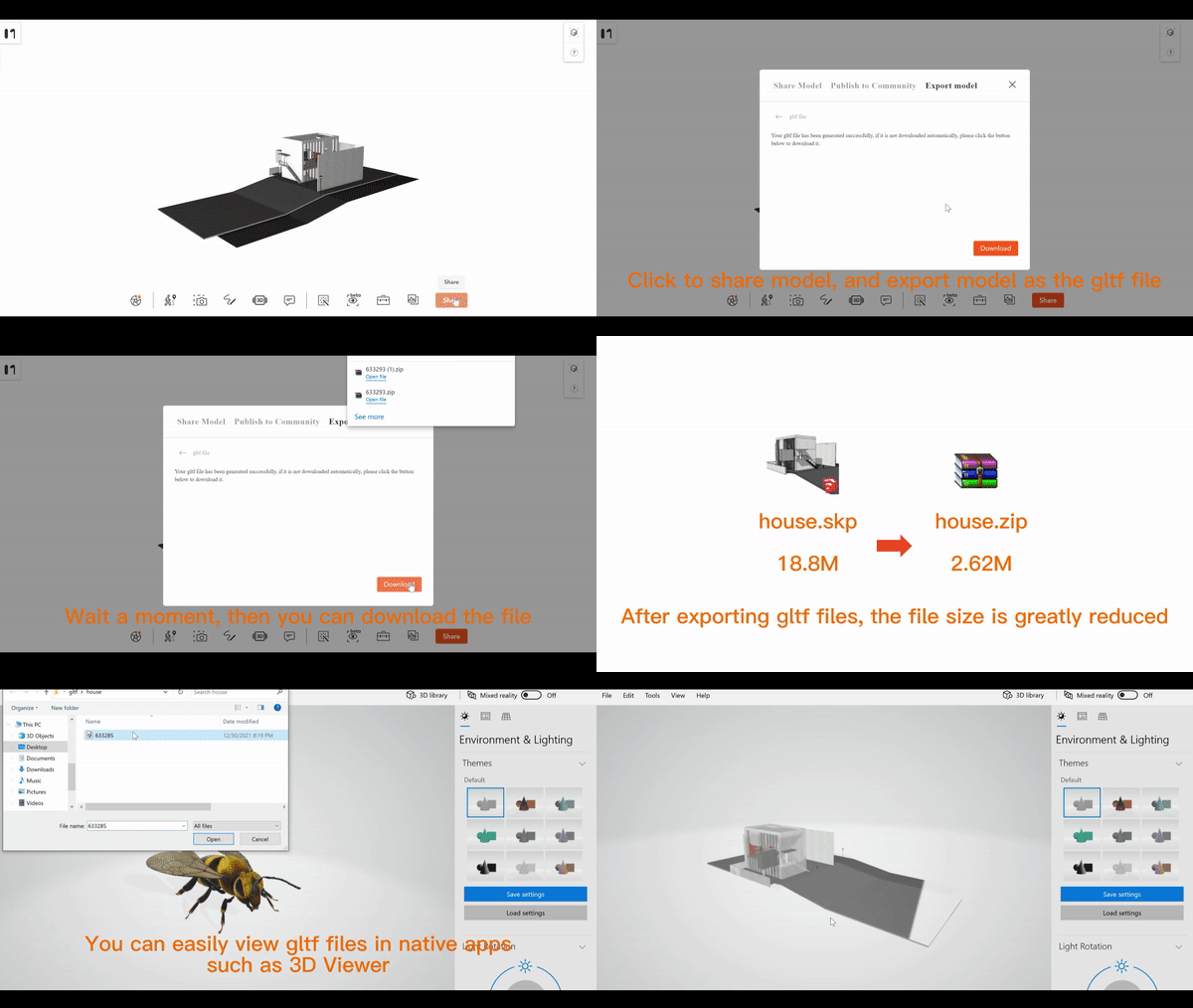
Export to GLTF

Via Modelo’s export and share function, the model can be transformed to GLTF format in minutes. Then you can download this model to your local.
Convert IFC to glTF in Modelo

Modelo is a free online platform that enables users to view, modify, transform and publish 3D models. It only takes 2 steps to convert IFC models to glTF files.

Upload IFC models to Modelo

No matter your model is in any format such as FBX, obj, 3dm, SKP, etc., you can directly upload the model by dragging it to Modelo.

Export to GLTF

Via Modelo’s export and share function, the model can be transformed to GLTF format in minutes. Then you can download this model to your local.
Convert 3D Max(.3ds) file to GLTF Free | Modelo

3DS

3DS is one of the file formats used by Autodesk 3D modeling, animation, and rendering software. It once was native for the old Autodesk 3D Studio DOS and eventually has grown to become a de facto industry standard for transferring models between 3D programs, or for storing models for 3D resource catalogs.

3DS is aimed at providing an import/export format, retaining only essential geometry, texture, and lighting data.

glTF

glTF (derivative short form of GL Transmission Format) is a file format for 3D scenes and models using the JSON standard. It was initially intended to be an efficient, interoperable format with minimum file size and runtime processing by apps.

The standard for many 3D applications and game engines, it is especially prominent as a common publishing format for 3D content tools and as the format of choice for web apps.

Convert 3D Max files to glTF in Modelo

Modelo is a free online platform that enables users to view, modify, transform and publish 3D models. It only takes 2 steps to convert 3D Max models to glTF files.

Upload 3D Max models to Modelo

No matter your model is in any format such as FBX, obj, 3dm, SKP, etc., you can directly upload the model by dragging it to Modelo.

Export to GLTF

Via Modelo’s export and share function, the model can be transformed to GLTF format in minutes. Then you can download this model to your local.
3D Asset Management: Move and Copy Models in Modelo

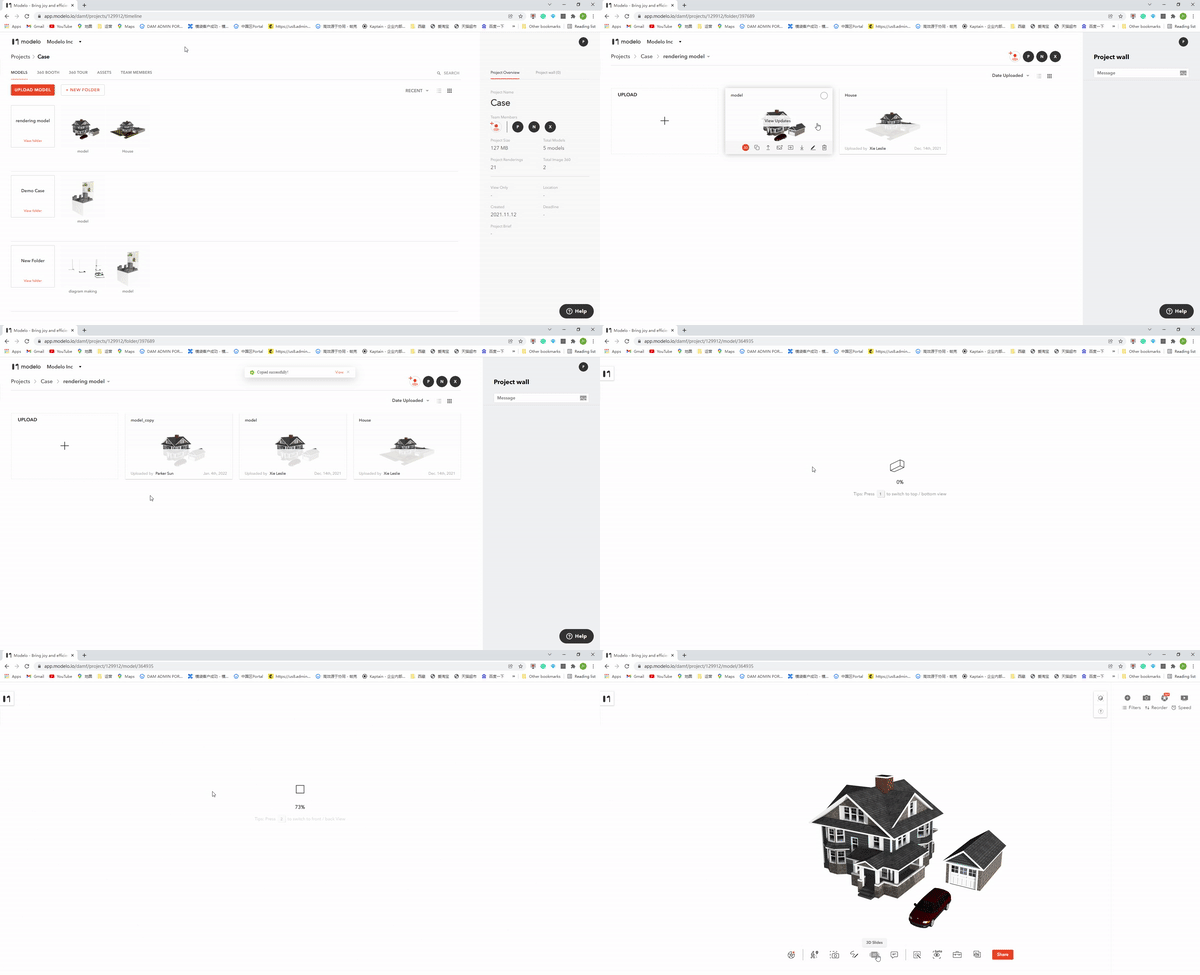
In order to achieve 3D assets management, Modelo enables users to move and copy models in Modelo. Let’s see how we can do that.

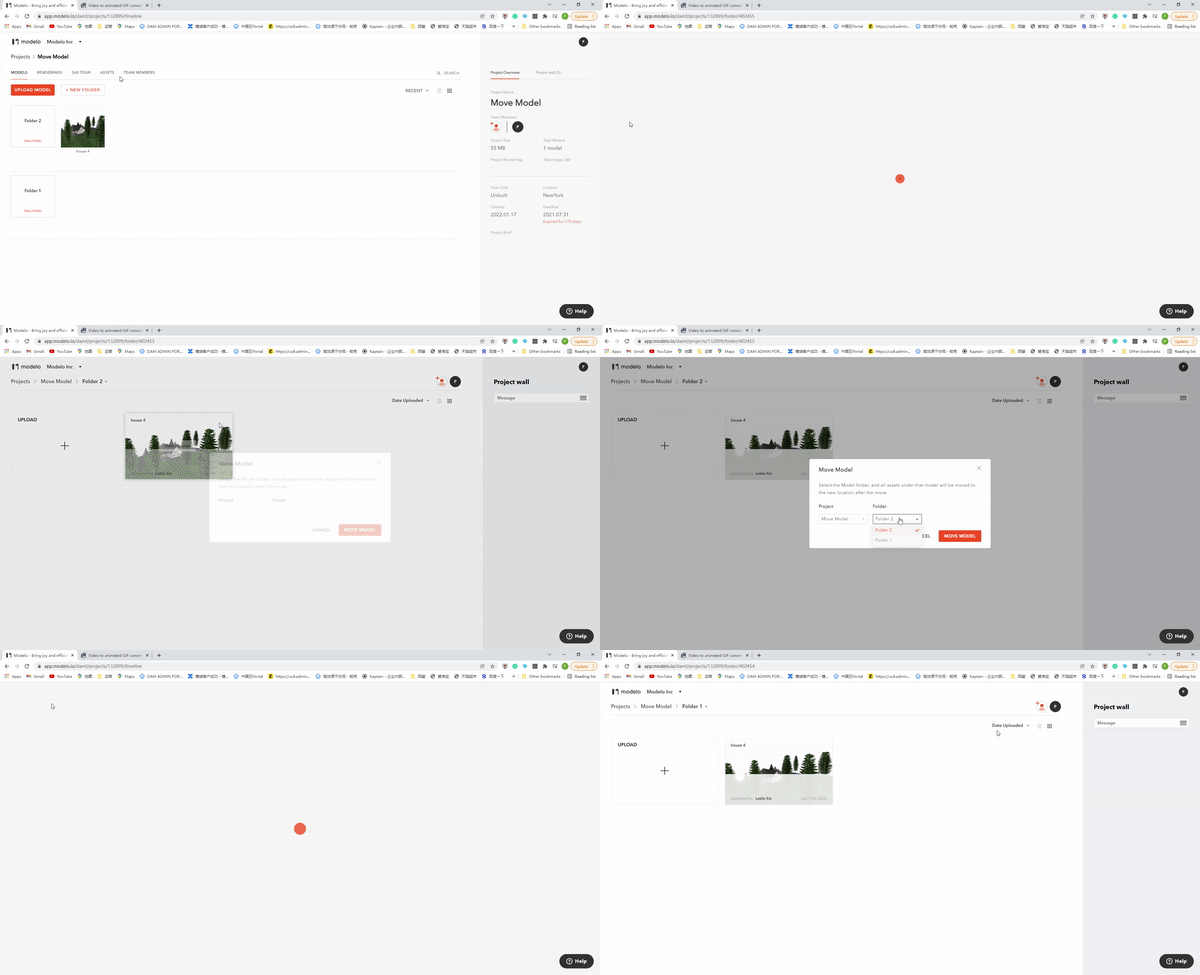
Move Models in Modelo

Users can find the “Move Model” function in the model tab. After selecting the new project and folder location, the model will be moved in seconds.

Copy Models in Modelo

If you want to backup your 3D assets, the copy function must be your best choice. Via clicking the copy option in the model tab, you can copy the model with all works including settings, 3D Slides, and walkthrough. 

Craft Architectural Diagrams in Minutes with Modelo

Architectural diagrams help to clarify a building, relationships between elements of a building, or a process connected to a building. Architects do this with visual symbols which can be considered all at once, unlike language which must be processed in a linear fashion. The problem is that it takes lots of time to produce a simple architectural diagram if you use common software such as V-ray, Escape, Lumion, and so on. However, the Modelo new Make Diagram function helps you craft architectural diagrams in minutes.

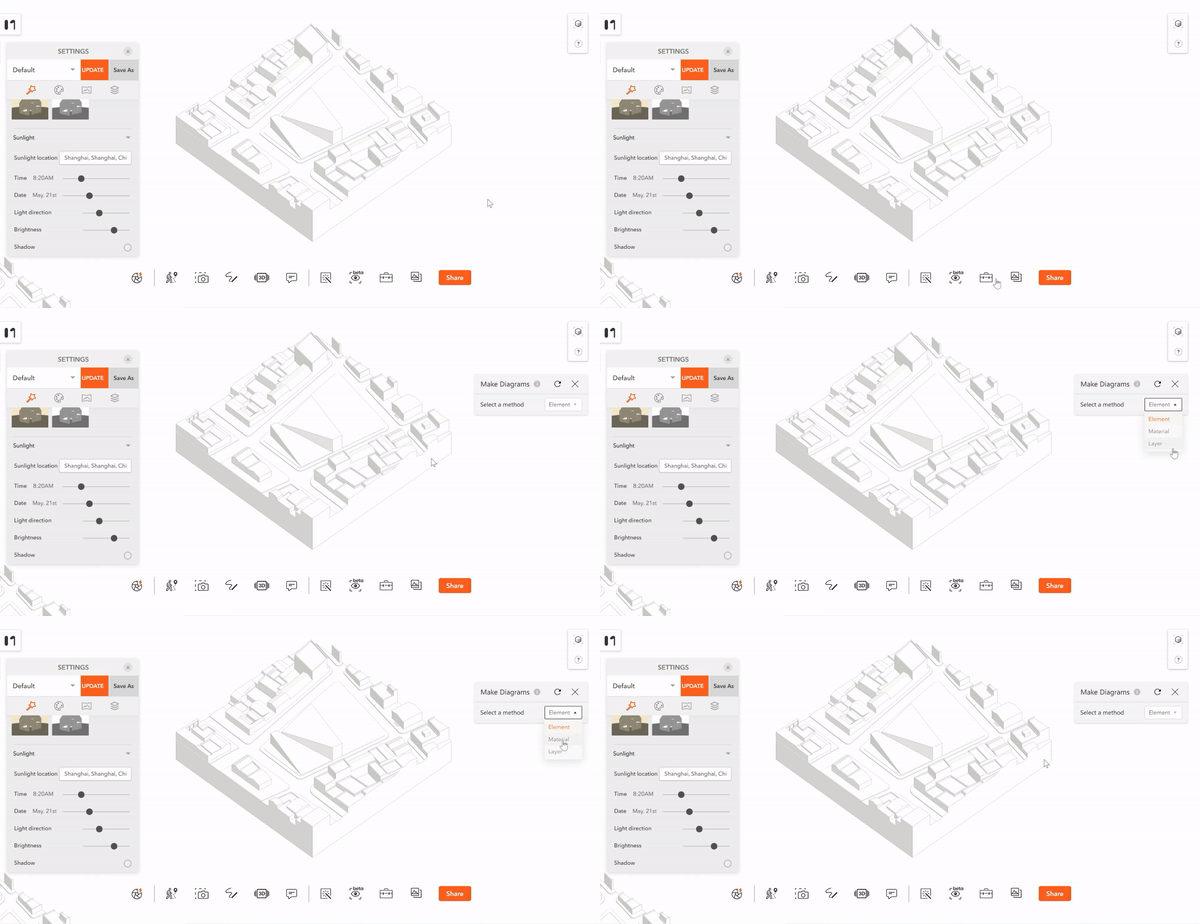
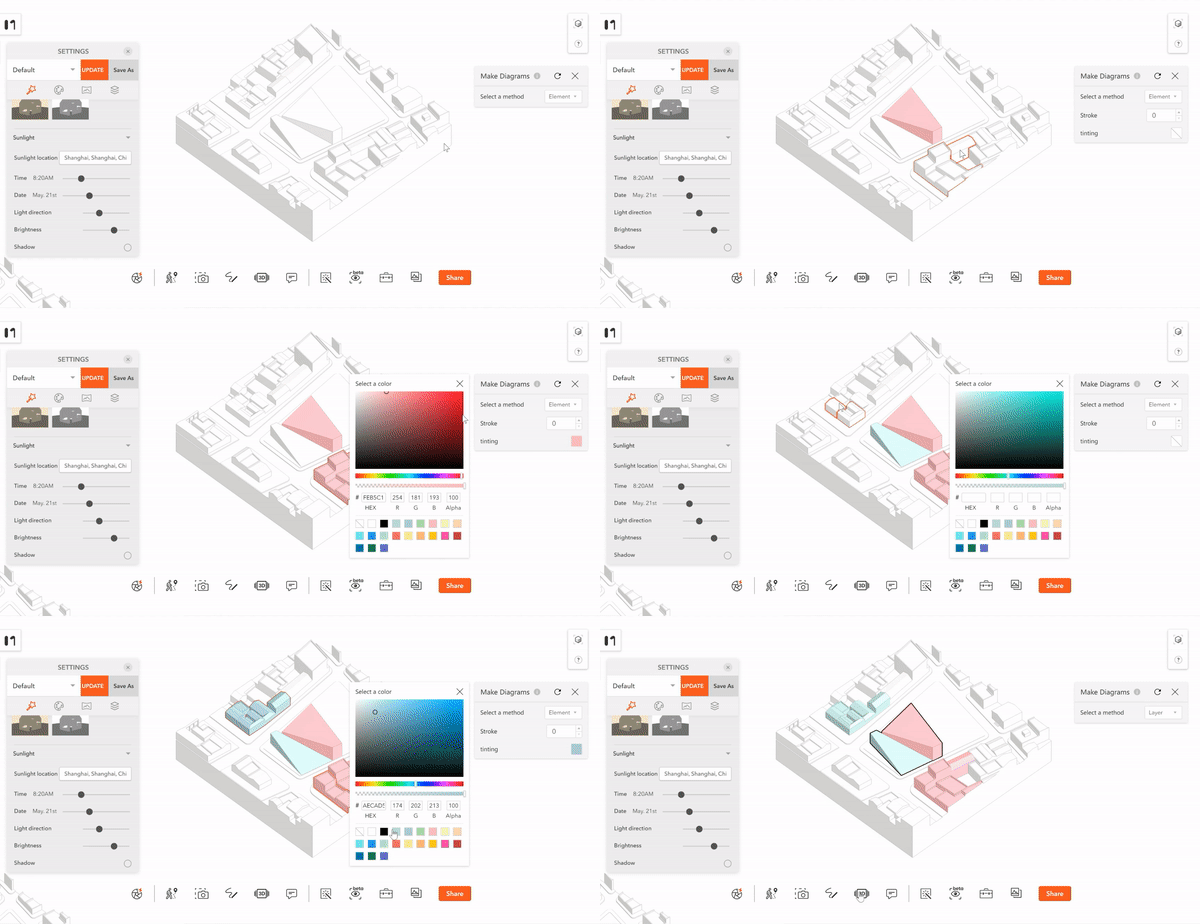
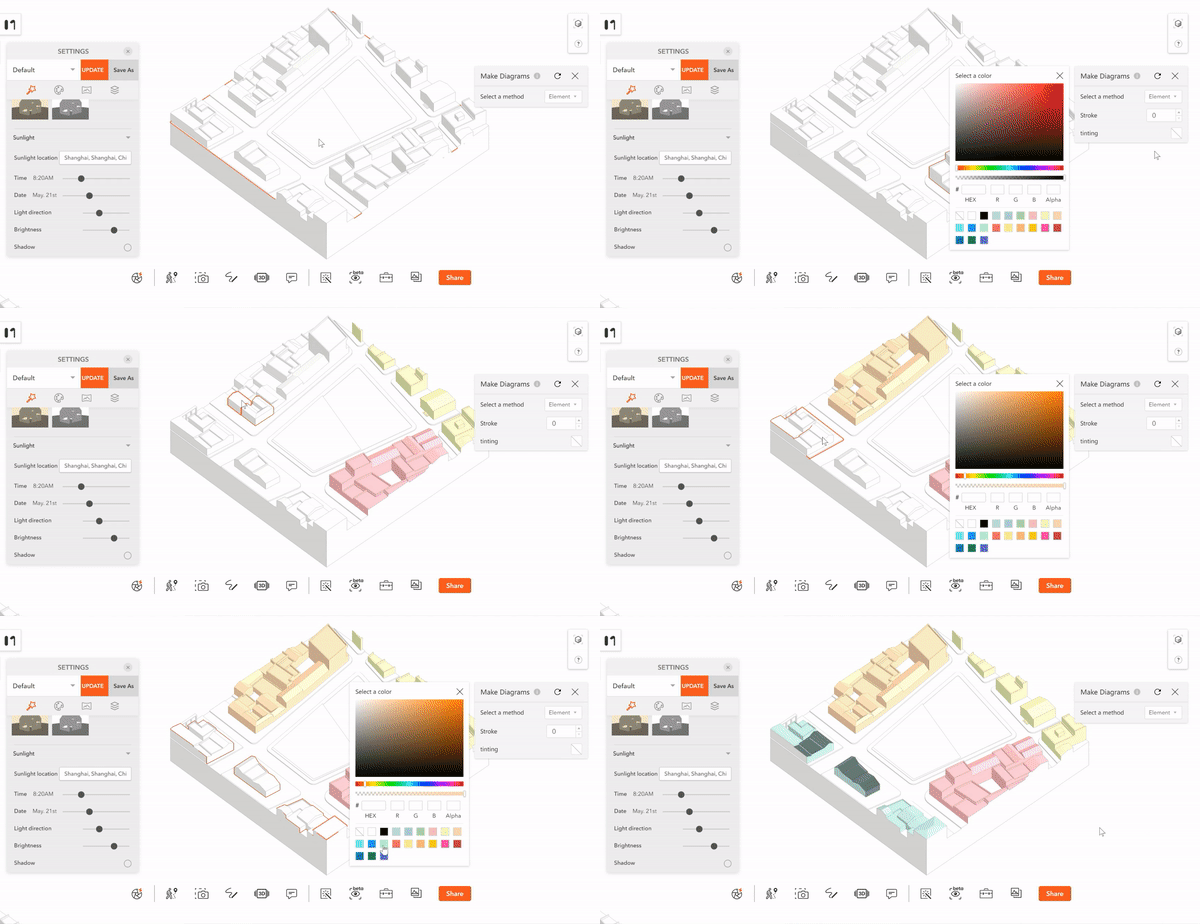
In the new Make Diagrams function. There are three select modes: by the element, material, and layer.

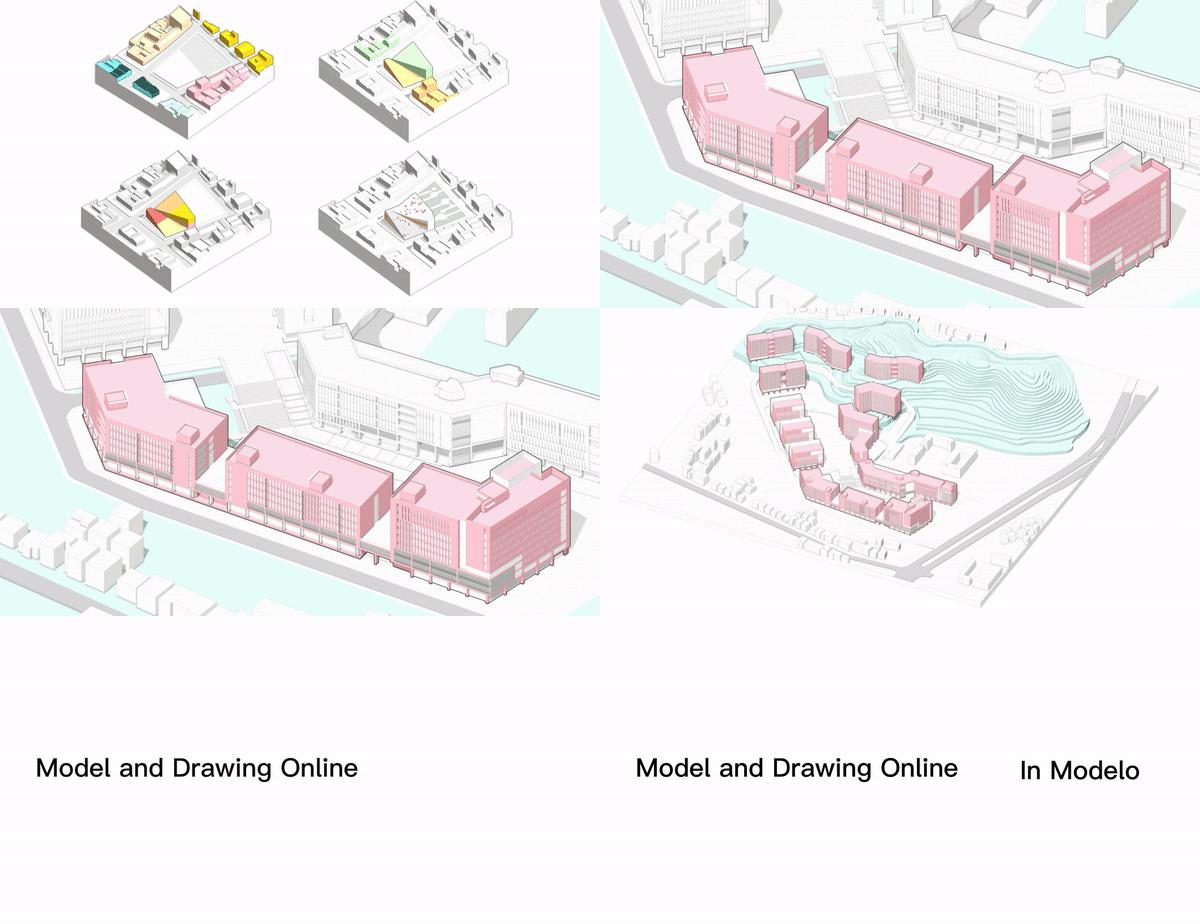
You could tint volume with reference colors to show the different properties of the architecture. In this model, we use blue and pink to show the trend of architecture and related buildings around the site.

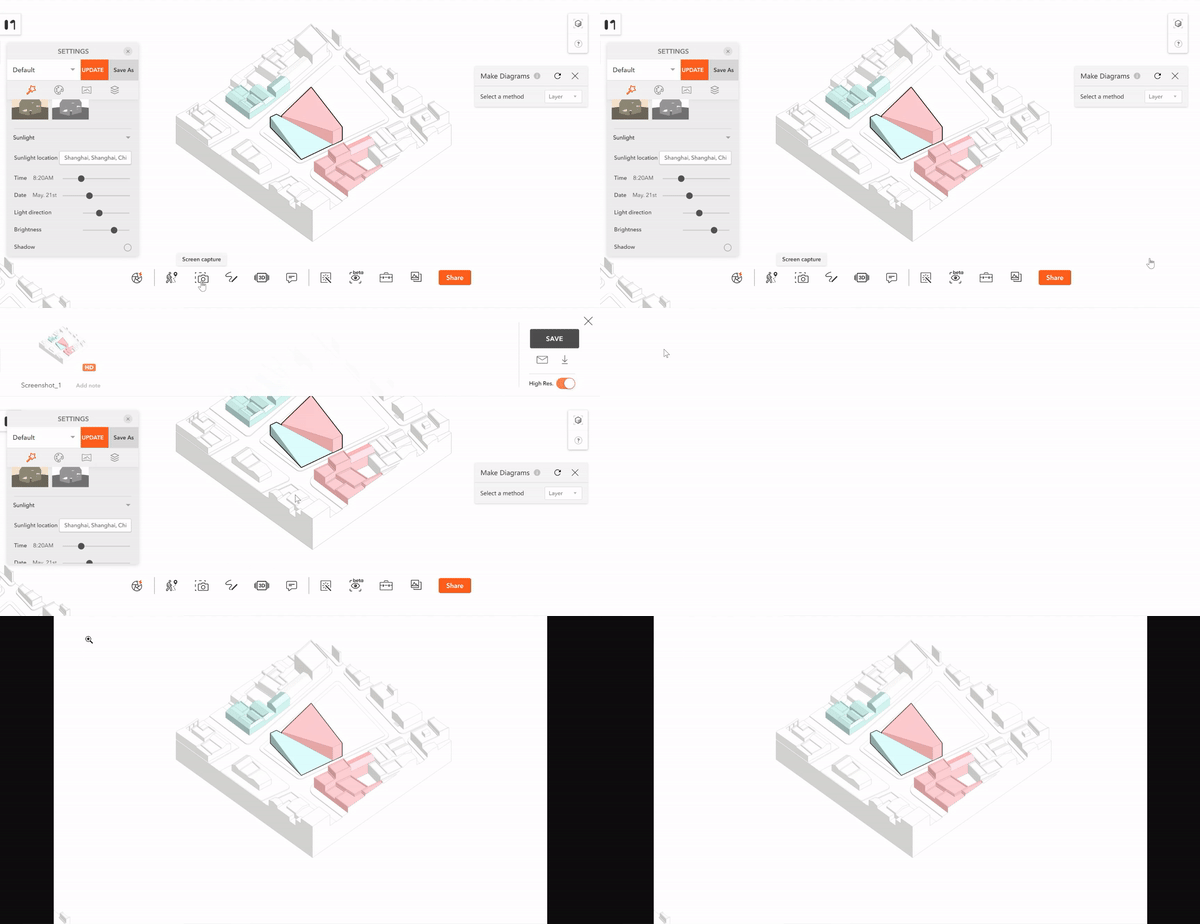
After finishing the selection and coloration, don’t forget to screenshot and capture the diagram. It only takes you 3 minutes to create a simple architectural diagram.

If you want to select multiple parts of the model, press CTRL and select them at the same time. Then you can tint or stroke them all together with one click.

Isn’t that easy? Come to Modelo and create your architectural diagrams now.

Convert Rhino(.3dm) file to GLTF Free|Modelo

Rhino

Rhinoceros (typically abbreviated Rhino, or Rhino3D) is a commercial 3D computer graphics and computer-aided design (CAD) application software. Rhinoceros is used in processes of computer-aided design (CAD), computer-aided manufacturing (CAM), rapid prototyping, 3D printing, and reverse engineering in industries including architecture, industrial design, product design as well as multimedia and graphic design. The Rhinoceros file format (.3DM) is useful for the exchange of NURBS geometry. The Rhino developers started the openNURBS Initiative to provide computer graphics software developers the tools to accurately transfer 3-D geometry between applications.

glTF

glTF (derivative short form of GL Transmission Format) is a file format for 3D scenes and models using the JSON standard. It is an API-neutral runtime asset delivery format developed by the Khronos Group 3D Formats Working Group. It was initially intended to be an efficient, interoperable format with minimum file size and runtime processing by apps.

Being called ‘JPEG of 3D’, GLTF is indeed a star of 3D model formats. The standard for many 3D applications and game engines, it is especially prominent as a common publishing format for 3D content tools and as the format of choice for web apps.

Convert Rhino to glTF in Modelo

Modelo is a free online platform that enables users to view, modify, transform and publish 3D models. It only takes 2 steps to convert Rhino models to glTF files.

Upload Rhino models to Modelo

No matter your model is in any format such as FBX, obj, 3dm, SKP, etc., you can directly upload the model by dragging it to Modelo.

Export to GLTF

Via Modelo’s export and share function, the model can be transformed to GLTF format in minutes. Then you can download this model to your local.
Convert Sketchup files to GLTF Free|Modelo

Sketchup

An SKP file is a three-dimensional model created by SketchUp, a 3D design program. It contains a model with wireframes, shades, edge effects, and textures.

The SKP file enables conceptual designs to be created, viewed, and shared quickly and easily. When you create a new document and save it in SketchUp the SKP file is created to store the document and its contents. SKP files can also be used to store SketchUp components. Components may be made by you or another user and can be imported into an SKP document to be inserted into your model.

glTF

glTF (derivative short form of GL Transmission Format) is a file format for 3D scenes and models using the JSON standard. It is an API-neutral runtime asset delivery format developed by the Khronos Group 3D Formats Working Group. It was initially intended to be an efficient, interoperable format with minimum file size and runtime processing by apps.

Being called ‘JPEG of 3D’, GLTF is indeed a star of 3D model formats. The standard for many 3D applications and game engines, it is especially prominent as a common publishing format for 3D content tools and as the format of choice for web apps.

Convert Sketchup to glTF in Modelo

Modelo is a free online platform that enables users to view, modify, transform and publish 3D models. It only takes 2 steps to convert Sketchup models to glTF files.

Upload Sketchup models to Modelo

No matter your model is in any format such as FBX, obj, 3dm, SKP, etc., you can directly upload the model by dragging it to Modelo.

Export to GLTF

Via Modelo’s export and share function, the model can be transformed to GLTF format in minutes. Then you can download this model to your local.
Modelo|Online FBX to GLTF Converter for Free

If you want to convert FBX or GLTF files and view them online, Modelo must be your best choice. Modelo is an online FBX to GLTF converter for free and easy to operate. Let’s see how to do it in Modelo.

It only takes two steps to convert 3D models to GLTF files in Modelo:

Upload models to Modelo: Modelo supports nearly all kinds of mainstream 3D models format. No matter your model is in any format such as FBX, obj, 3dm, SKP, etc., you can directly upload the model by dragging it to Modelo. Modelo also has a unique Revit plugin for convenient upload.

Export to GLTF: Via Modelo’s export and share function, the model can be transformed to GLTF format in minutes. Then you can download this model to your local.
Isn’t that easy? Try to upload your FBX model and transform it to GLTF now!

Modelo|Free Online GLTF Viewer

GLTF (GL Transmission Format) is a 3D file format that stores 3D model information in JSON format which minimizes both the size of 3D assets and the runtime processing needed to unpack and use those assets. It was adopted for the efficient transmission and loading of 3D scenes and models by applications. Modelo will be a good method for viewing GLTF files online.

Modelo is an online tool for viewing, publishing, and sharing GLTF files. There are a lot of handy features that come with this tool.

Modelo allows you to easily display FLTF files on the web and view them on any browser, mobile, desktop, or tablet. You can upload an unlimited number of models from your software or your browser and embed them directly on Facebook, blogs, forums, or any other site.

You can share your GLTF file with your client via Modelo. With Modelo share links, they can see your files everywhere. Moreover, you can transform these GLTF files into photorealistic renderings for free.

Convert 3D Models to GLTF Format Online for Free – Modelo

GLTF (GL Transmission Format) is a 3D file format that stores 3D model information in JSON format which minimizes both the size of 3D assets and the runtime processing needed to unpack and use those assets. It was adopted for the efficient transmission and loading of 3D scenes and models by applications. You can use Modelo to convert 3D models from and to GLTF format online for free.

How to convert 3D models to GLTF in Modelo?

It only takes two steps to convert 3D models to GLTF files in Modelo:

Upload models to Modelo: Modelo supports nearly all kinds of mainstream 3D models format. No matter your model is in any format such as obj, 3dm, skp, etc., you can directly upload the model by dragging to Modelo. Modelo also has a unique Revit plugin for convenient upload.

Export to GLTF: Via Modelo’s export and share function, the model can be transformed to GLTF format in minutes. Then you can download this model to your local.
Isn’t that easy? Try to upload your model and transform it to GLTF now!

Architectural Rendering with Modelo

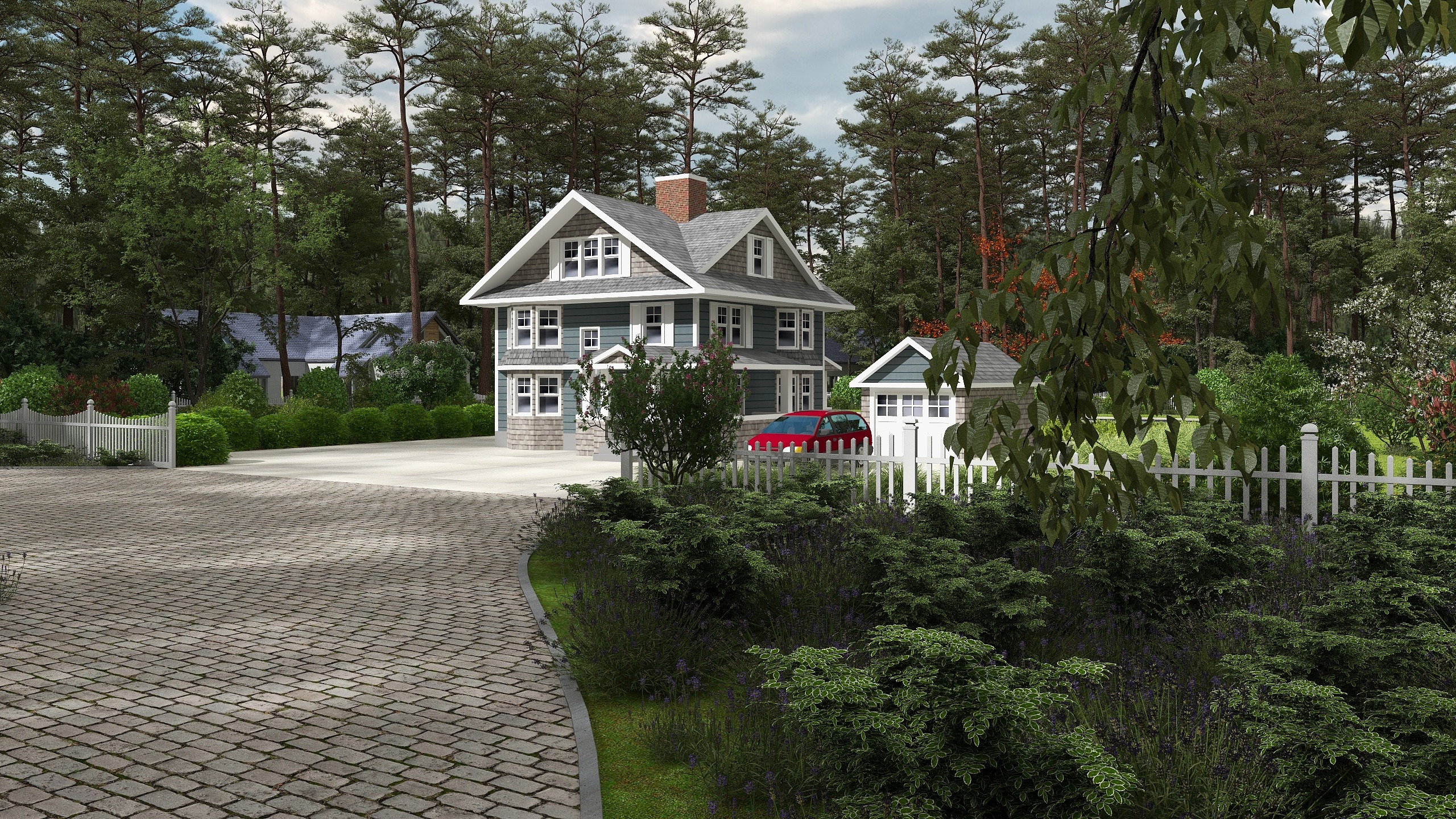
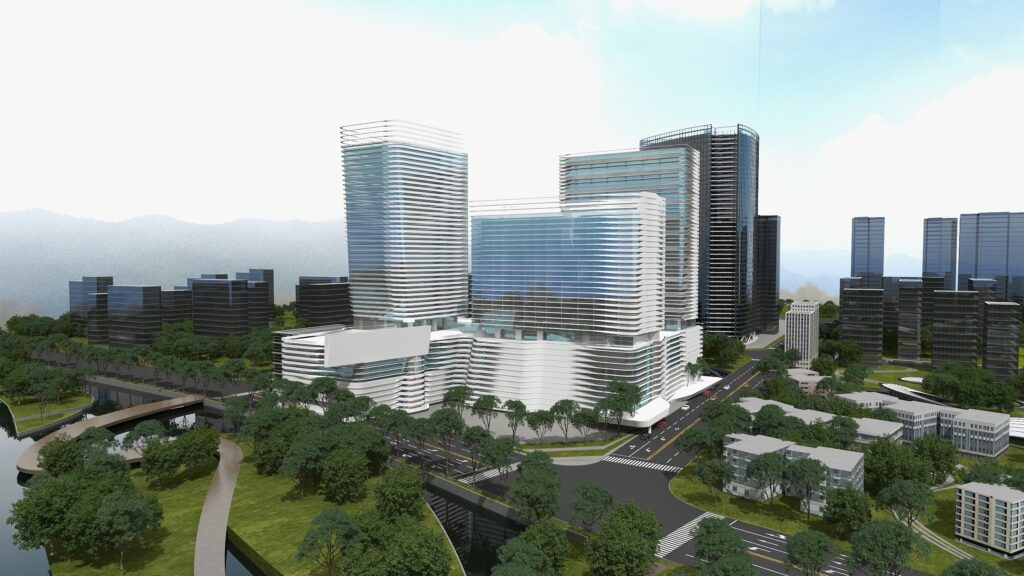
3D Architectural rendering – the preview of how an architectural design will look after it has been completed. Architects love this high-powered tool because it enables them to create lifelike 2D and 3D visualization of these designs, giving project contractors, owners, and even the general public a full look at the building’s final aesthetics.

Architectural rendering history

Before architectural rendering came along, architects create these visualization images by hand. Specialized artists would use traditional mediums such as pencil and paint to translate a project’s blueprints into scenes that could give a good impression of the finished construction. 

Although some architectural renderings like artworks cannot be ruled out, it is hard for architects to be able to accurately capture the project’s various features, including dimensions, proportions, textures, and lighting. So it significantly adds the costs to architects’ project expenditures because of the required expertise.

With the development of technic, the first generation of rendering software did arrive. However, due to its clunky performance, it usually took hours to render just a single image. Besides, rendering software is extremely expensive so that outsourcing was still a necessity.

Fortunately, things changed by Modelo, which it’s possible to create architectural rendering free online now. Ease of use and an intuitive interface allows architects to DIY their renders and get stunning results in minutes freely. Best yet, architects can go far beyond traditional models with the creation of videos and 360 booth that can be explored in different material combinations.

Benefits of adopting Modelo architectural rendering

Using a modern program to create 3D renders brings so much to the table. It helps architects streamline their process, win more projects, gain client confidence, and even produce better designs.

  • Demonstrate value to potential clients

    Having fully detailed, explorable 3D renders means that architects don’t have to leave anything to the imagination. Clients and investors can get a complete view of proposed designs, enabling them to understand what the project will accomplish and how the design and specifications are justified. 

    This helps firms win projects they’re submitting proposals for, and also helps to improve communication and collaboration with clients. Project stakeholders can have a clear representation of what they’re getting before the first brick is even laid. 
  • Cut unnecessary costs and time from the design stage

    Modelo is free easy-to-use software that can get their renders done ASAP and avoid the problems that can come with third-party invoicing. Because of Modelo’s free features, architects have almost no design costs when rendering. As a result, architects can quickly track project decisions, and stakeholders and contractors can make assessments more easily.
  • Provide more possibilities for architectural design

    Programs like Modelo use advanced algorithms to produce the most realistic environmental effects for architectural renders. Various environment templates are provided for enabling users to simulate their model in the real world. Moreover, Modelo offers a real material library that can be reflected and changed in the renderings.

Modelo makes architectural rendering easy

Modelo has earned a reputation as one of the industry’s best tools for empowering architects to make their own high-quality renders. The user-friendly software doesn’t require expert knowledge to use; it simplifies the creation of 3D models and 2D images so that any team can get the job done themselves. Try it at no risk to see how it can streamline your workflow and propel your firm’s success.