One of the most hilarious moments in my work as a designer was when I was in a BIM coordination meeting via video conference with my structural engineer and project manager. We were on a discussion to verify the clearance above a ramp and the PM said “let me zoom into the Revit model and find out.” We watched him via screen share, taking each step of tedious mouse movement so painfully inside a gigantic Revit file: spin – zoom in – rotate – zoom in – pan – zoom out.
In the meantime, I did a quick calculation in my head and we used this estimate to continue the conversation. After maybe 10 or 15 minutes, when we were already on a different topic, I heard the PM on the other end yell “Got it! It’s 4.3 meters!” It was a very delayed response and it made everyone on the call burst into laughter. In short, Revit has become such a powerful tool in every stage of design and construction with the all powerful features added to the program, however speed is sacrificed.
At Modelo, our engineers have come up with an ultra-powerful convertor while retaining a stunning graphic quality. Our converter can convert a 300mb Rhino file down to 30mb without losing any geometric data or texture quality. This sophisticated process of optimization lets our users spin models in 3D faster and smoothly in a web-browser, without the need to even install anything. Large files that can barely move in Rhino or Revit can be smoothly manipulated in Modelo. It means no more waiting around for a large file to move, and rather to let your meetings be efficient and focused.
What’s more, Modelo converts your file in the background so you don’t need to prep your file differently before the upload. I want to share some tips with you to allow you to get your file to the smallest size possible.
If your model is in Rhino or SketchUp, keep the original file format, Modelo has native support for Rhino and SketchUp files. Files can be optimized better than if you export them to .obj or other formats.
Mesh your Rhino model. Use comment “Mesh” to convert all geometries to Rhino meshes. Delete everything else that is not mesh.
Reduce the number of layers. (the fewer the better)
No redundant texture maps. For example, duplicated materials or materials with different names but share same bitmap. Use as few textures as possible.Ultimately, we can to reduce a 700mb Rhino file down to 100mb, and it loads quicker and smoother in Modelo. I hope these tips help get you started on your journey in Modelo!
Modelo’s individual package provides the user a lot of capabilities within Modelo’s platform, however for just $25 a month, you can take advantage of Modelo’s integral features that will save you time and money in the long run.
Modelo’s main purpose is to be a presentation and collaboration platform for 3D CAD designs. With the Individual Package, your collaboration capabilities are limited. When you upgrade to the Studio Package, you unlock many features that allow you as the designer to collaborate in an organized and meaningful manner. With our screenshot and markup tools, you can communicate your ideas to stakeholders directly on your design.
You can also assign tasks to people by tagging them in a comment in the design and effectively communicate directly in Modelo. With Modelo’s helpful collaboration features you will be able to save time through the creative process of your designs as it will be easy to make your own edits and take the comments of others simultaneously in one, organized online platform.
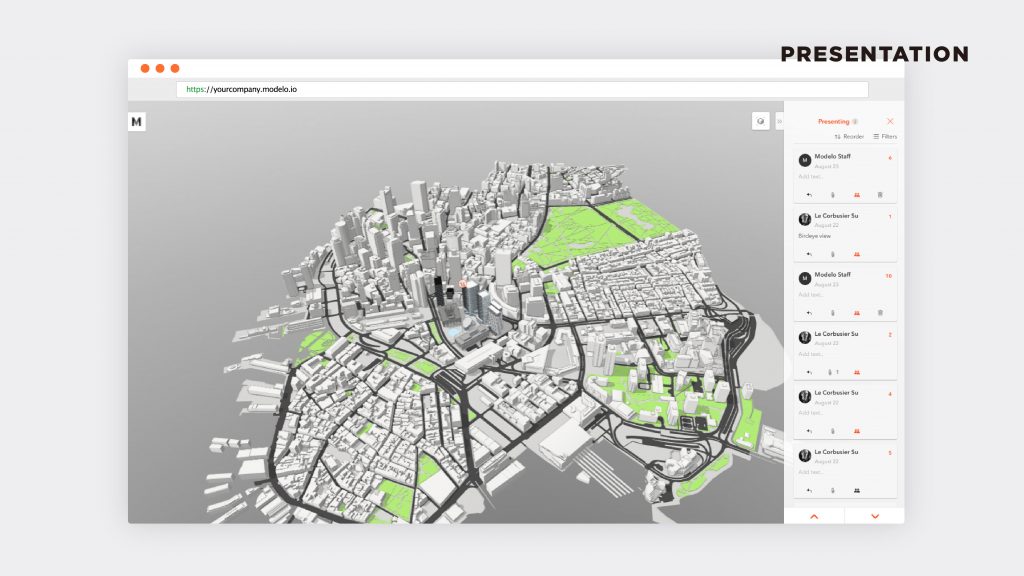
Additionally, upgrading to the Studio Package gives you access to many sharing features that gives you the ability to export your designs and the flexibility to share your designs. With our Studio Package you can bring your designs to your client and impress them in presentations by embedding your walkthroughs and 3D models. You can also embed your walkthroughs onto your website, which is sure to make a great first impression with our best-in-class rendering and smooth walkthrough design. Plus, you can upload a background image of your choice in Modelo to present to your clients.
Creating beautiful and engaging presentations on 3D CAD models is one of our specialties here at Modelo, so naturally we have spoken to many firms throughout the AEC industry about their presentation processes. From the conversations we have had, there is a clear theme that executing successful presentations, especially in 3D environments, is one of the most challenging aspects of design.
At Modelo, we created and are constantly evolving our presentation features based on an understanding of the common challenges associated with presenting 3D CAD designs (Top 5 things architects can do to improve client presentations). One issue that thwarted many of our clients presentations before joining Modelo was simply unreliable Internet connection.
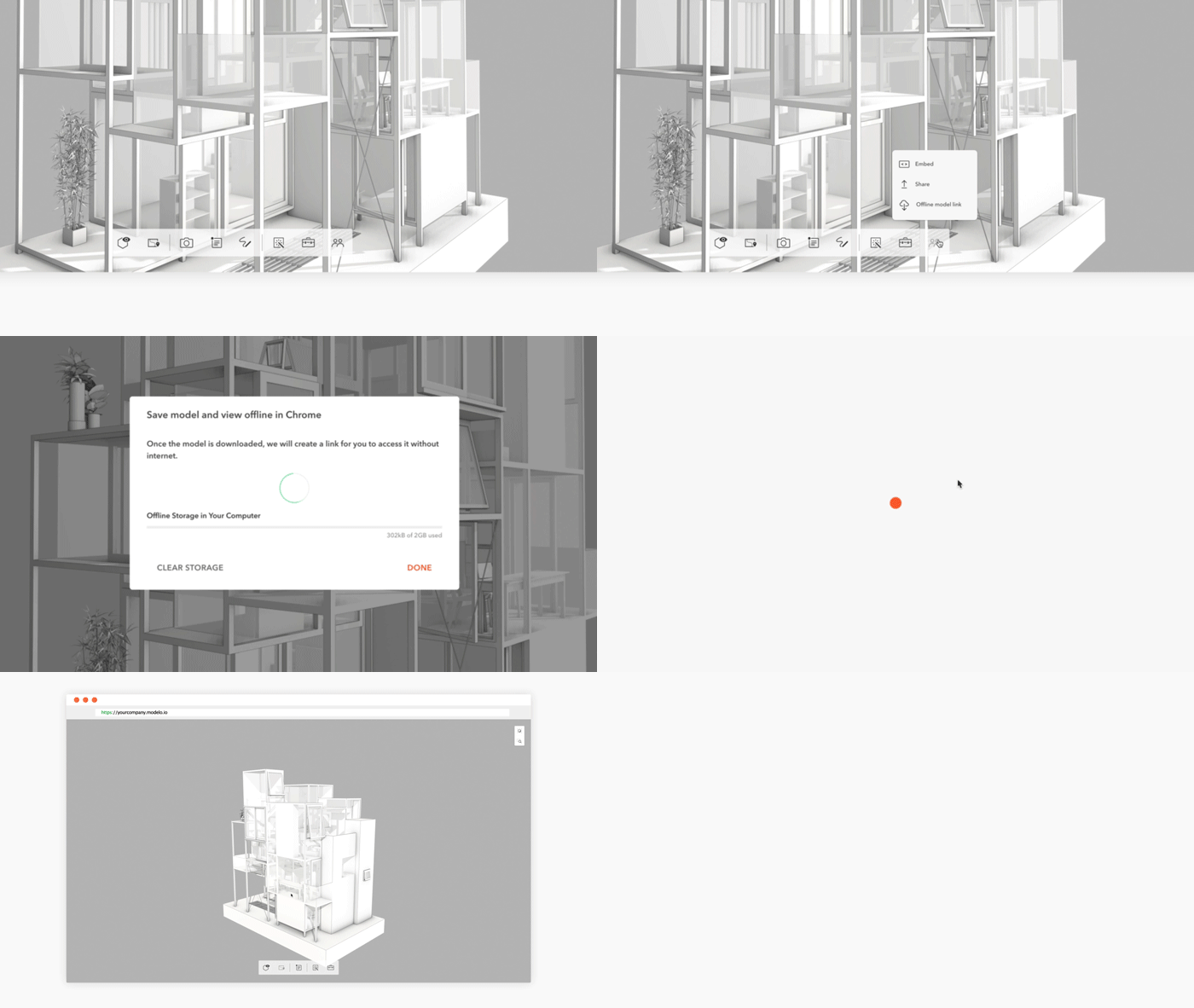
The design community would agree that there is nothing more frustrating than spending hours compiling a 3D presentation only to be embarrassed by the inability to connect. It can also be debilitating for designers to not be able to present their 3D models on the fly from any device at any time. We created our unique Offline Mode with these specific challenges in mind.
Offline Mode allows users to give full presentations on 3D models offline. Presentations no longer have to be scary events that take days of preparation, are susceptible to technical error, and ultimately fail to communicate the vision of the designers. With our Offline Mode, your 3D models will be ready to view at a rendering speed 45 times than that of your CAD software with the ability to incorporate walkthroughs, views, and attachments. This can all happen from any device at any time, regardless of an Internet connection.
Modelo’s Offline Mode is a perfect way to ensure that your presentation will roll out as planned. It is also ideal for collaboration and presentation between designers and clients who are regularly on the move and need a versatile way collaborate on designs. Welcome to the future of presenting 3D models. This is a paid feature for Business Plan customers. To learn more, contact us at hi@modelo.io.
An ongoing problem that has forever pained the AEC industry centers around the question, how can AEC organizations land more projects? The follow-up questions tend to pivot around how to strengthen client communication and client engagement earlier in order to build client relationships, reduce the margin of error in illustrating a client’s vision, and ultimately improve the overall first presentation. This all in the hopes of rising to the top and standing out among your competition to be awarded the all elusive design contract and receive that letter of intent.
As architects, there is nothing more important than early dialogue and active engagement with your client during the bidding process. AEC organizations must understand their client aspirations, their needs, and design a place that fits into those needs. With Modelo, client project communication throughout the entire design is centered in a web-based platform with clients and team members alike, accessible through any mobile device.
Modelo allows the client to very easily be immersed in a design and truly feel what that space is. It allows for the client to explore parts of the design at their own pace and at their own leisure. Client feedback is easily given in real-time and viewed by the entire project design team, allowing clients to engage from the beginning, rapport to be built stronger than ever before, and for interactive 3D architectural presentations to be delivered smoothly and directly in line with client expectations.
In presentation preparation, architects have to anticipate what the client is most interested in and spend a lot of time delineating the issues the architect thinks is important which usually leads to a prescribed fly through, the animation is run by the architect but can’t really deviate from that because CAD programs like Rhino, Revit, and SketchUp are very tedious to navigate and too time-consuming to change on the fly. If the client asks to see a view that isn’t prepared then you will be out of luck and the presentation will suffer.
By using Modelo, in seconds you will be able to create that special view the client requests during the meeting keeping he presentation flowing forward. In comparison, Modelo is very user-friendly which allows new 3D walkthroughs, views, and screenshots to be made in seconds, giving your clients presentations the most flexibility of any program currently on the market.
Simply put, Modelo improves your chances to win new clients and new projects by promoting enhanced client communication in the early stages which in turn builds rapport, as well as delivering beautiful initial design presentations. Having a leg up on your competition in the way you communicate and engage your client leads to a closer client relationship, a design in closer alignment with the client’s vision, and a clearer presentation which meets and surpasses expectations.
When put to use with Modelo, this simple formula will lead to an improved chance to win projects in a given year; Modelo = more projects = more money. Modelo’s originally unique and effective way to communicate and engage with clients is entirely new to the AEC industry and changing the standards for how companies engage their clients. The only way to truly understand is to sign up to Modelo for yourself, upload a model, and dive in to the software to familiarize yourself with the product.
Still using WeTransfer or Hightail? Try Modelo’s model sharing tool with quick preview.
Did you ever have to share a model for someone else to open it? Uploading and downloading may seem easy enough with WeTransfer, Hightail, Dropbox or Google drive, but do you ever wonder what your file looked like while waiting for it to be downloaded?
Sharing is even quicker and more intuitive to use in Modelo. When you have the model in Modelo, all you need to do is to click the share button and enter your recipient’s email.
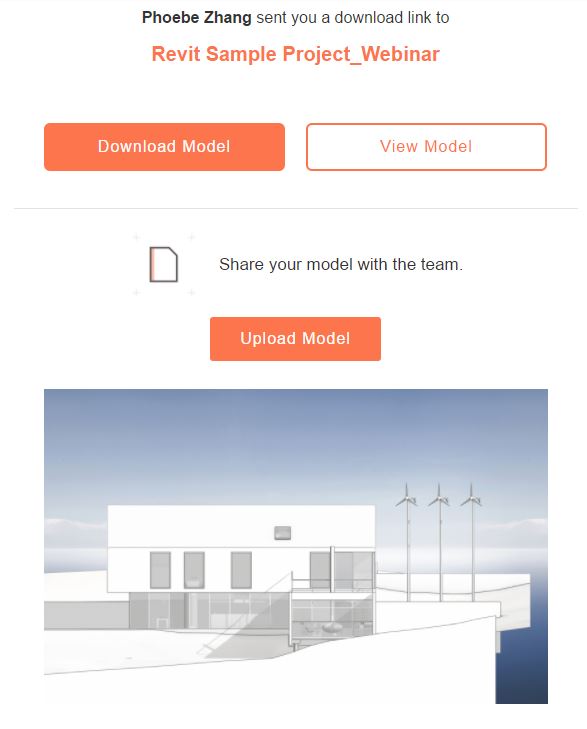
Your recipient will instantly get an email to download. In the email, there is a button to download and a button to view. You can preview the model in 3D while waiting for it be downloaded.
The “View Model” button will lead you into a webpage where you can spin around in the model without opening any modeling applications, and without the need to install anything. A thumbnail image will also be included in the email for quick impression. No more waiting around and you can also view in your phone as well!
After you downloaded the model and made necessary edits in the file, you can uploaded the new model back into the folder by clicking “Upload Model” in the original emails. Now all the revisions and versions of the same model are securely organized in one place. You and your collaborators can access the same files at any time and on any device.
In part one of “what does collaboration in the cloud mean,” we discussed how to review BIM files collaboratively. In part two, we’ll dive into how to keep all of your design review feedback organized by utilizing comment cards and even assigning tasks to colleagues in real-time.
Design review feedback is one of the most valuable pieces of a project’s direction and goals. Getting clear design review feedback is good, but being able to then store all of that design review feedback in one organized location is even better. Introducing Modelo’s comment cards.
With 3D comment cards, users are able to comment on any area of their 3D model (once uploaded to Modelo), and then add their feedback directly on the comment card. What’s more, project collaborators can then @mention each other in real-time to make sure their message is being delivered to the correct person.
No longer will feedback be a drawn out, confusing process, but rather a straightforward and positive experience with Modelo. Project collaborators can even take screenshots and create sketches to then save and share with other stakeholders to ensure the correct message is being passed along to the appropriate contact.
CAD today isn’t about design | Modelo Modelo wants to change that.
Since I’m an architect by training, I think people construct this stereotypical image of me using pens and paper to design magnificent, detailed buildings. Although I’d like this vision to be true, it is not. Instead, we architects intensively use computer software every day for creation. One type of software in particular is CAD (computer aided design), which you’ve probably heard of if you pursue 3D design — whether it be architecture, mechanical engineering, or industrial design.
CAD software has become a giant industry driven by design demand. But don’t get confused — even though the software is for designers, the CAD industry isn’t really about design at all. Today’s leading CAD design software was likely proposed by managers and built by software engineers. All of the necessary tools are there for designers to use, but the way in which they’re presented simply isn’t up to par with the modern aesthetic and interface. The clunky software with an overwhelming breadth of options is then sold to visually-driven designers. CAD is still widely used, but the fact is the people who are building the software are disconnected from those who are using it.
So what’s happening?
In the last several years, Sketch and InVision have developed and designed tools for graphic and web designers. Both stand out because they diverge from the old way of thinking about making software; they instead focus on producing design technology for designers. Their efforts are rooted in understanding what designers really want, what they care about, and how they work every day.
Compared to software engineers, designers pay more attention to visual details, spending hours tweaking design elements. We work with a variety of media — Moleskine notebooks, Pilot razor pens, Adobe Suite, Rhino — to give life to our ideas. We mostly prefer iOS to Android for its user experience. Our favorite colors are of the neutral orientation. We designers are fundamentally a different group of people from software engineers, so we have tremendously different work habits.
The reason is simple: designers don’t know how to build their own software, engineers do. And very few of them can share insights about design. Not to mention, understanding 3D design presents a whole new level of complexity to people not practiced in design thinking.
CAD started with Mr. Ivan Sutherland, who created “SketchPad” as he pursued his doctoral degree at MIT. His work became foundational to the formation of computer graphics, leading to the development of graphical user interface (GUI) and object-oriented programming. In his doctoral thesis, he states:
“It is our intent with this example to show what the computer can do to help us draw…”
He intended to have the machine help people, not regulate them. But the programs that grew out of Sutherland’s preliminary work often feature tools that hinder, rather than help, the design flow.
Programs like AutoCAD, Rhino, Maya are strong from the software development perspective. But these programs’ UI/UX environment is a visual catastrophe. Compare Sketch’s future-forward user experience, above, with AutoCAD’s 3D design interface.
Not that great, huh? Why does it seem like these tools don’t support designers? Well for starters, they’re overcrowded, confusing, and clunky. Only the most seasoned users can call themselves experts, priding themselves on learning to wade through the murky interface, memorizing each button and command.
How Can We Make A Change?
Making change in a well-established industry is going to be difficult. All businesses in the 3D design world depend on hefty software subscriptions, which is why the CAD software development industry is in constant demand. They are dealing with complicated users from the oldest industries, like architecture and manufacturing. There isn’t much initiative for the large 3D software developers to make great change. Once they are in the game, they will stay there and expand the breadth of their capabilities (take a look at this list of Autodesk acquisitions). Hyper-simplification of the tool is not exactly in the business model.
Yet, the ecosystem is changing. We’ve experienced so much new tech coming into the market — 3D printing, portable 3D scanning, democratized VR/AR. This is not the era when your 3D software will sell because it’s the first of its kind. The world is full of software and users are tired of choosing and switching. People need both a tool and a team of designers that really care about their needs, their workflow, and their feelings.
This attention to the work-style of designers was our primary motive when we started Modelo. The goal was to leverage design in order to express the urgent needs of our fellow 3D designers. We trust that the rise of web applications and 3D technology will bring us joy while we work together. At the end of the day, it isn’t about CAD. It’s about design, and it always will be.
Modelo’s Academic Program Modelo for Students & Professors!
Modelo offers academic accounts for students and educators of accredited courses.
If you’re a student or educator in an architectural or 3D design program, you will be eligible to access to the Academic version of Modelo using your “.edu” email address. This means students and educators working with 3D modeling software like Rhino, Revit, SketchUp, Vectorworks and others will be able to present their designs, share feedback, manage projects and transfer files all from a single web-based platform (works on phones and tablets too).
Did we also mention Modelo is the fastest real-time 3D rendering platform in the industry?
Why Free for Student and Academics?
Modelo was conceived as a thesis project by founder and CEO Qi Su during his studies at Harvard University’s Graduate School of Design. After experiencing his own difficulties sharing and presenting 3D models in both class and professionally he decided to develop a prototype to represent student projects in real-time. After a lot of hard work, we have transformed that prototype into a fully fledged software company providing 3D presentation and communication solutions to some of the world’s most renowned international architecture firms.
For a project born in the academy, we feel it’s only right to provide the service to digital-native students to help them communicate and present their designs and prepare for the professional world.
Why Now?
During the fall semester of 2015 and spring semester of 2016, Modelo was piloted with a few select academic programs. Our users found considerable success with a number of the platform’s key capabilities. Being able to communicate directly through 3D models in a browser-based environment was a big change for the professors and lecturers using the tool. For the students too, Modelo proved to be an invaluable tool.
Since that time, Modelo has come a long way. We’ve support for new formats, created new administrative user types, improved our mobile experiences, added VR with Google Cardboard, added a ton of 3D Viewer control enhancements and a whole bunch of other awesome stuff. The time is right to open the gates and see how students can use Modelo in new and experimental ways to represent their 3D designs.
Get Started
If you’re interested and would like to learn more, please reach out to Modelo’s Customer Success Manager, Phoebe Zhang at ypzhang@modelo.io using your .edu address and provide your full name, educational institution, and proof of enrollment. More information below:
1. Send your syllabus or proof of enrollment to Phoebe Zhang at ypzhang@modelo.io
2. Professors: send your class size and course start date and end date
3. Register for a free account first with your .edu email, then your account will be upgraded
4. Students will receive a 1 year, individual license. If you like to access Modelo’s sharing and collaboration functionality, please ask your professor to reach out to Phoebe Zhang at ypzhang@modelo.io.
5. Professors: you can set up access for your whole class, which includes access to Modelo’s collaboration and sharing functionality. Please email Phoebe Zhang at ypzhang@modelo.io to set up a time to discuss your needs.
Only those with complete information will be answered; incomplete inquires will be ignored. We will then respond with your Modelo login credentials within 5 business days.
5 technologies that save architects time with Modelo | Technology for architects.
Time is a precious commodity, particularly when you are up against a deadline. Make every minute count by employing these 5 great features of Modelo.
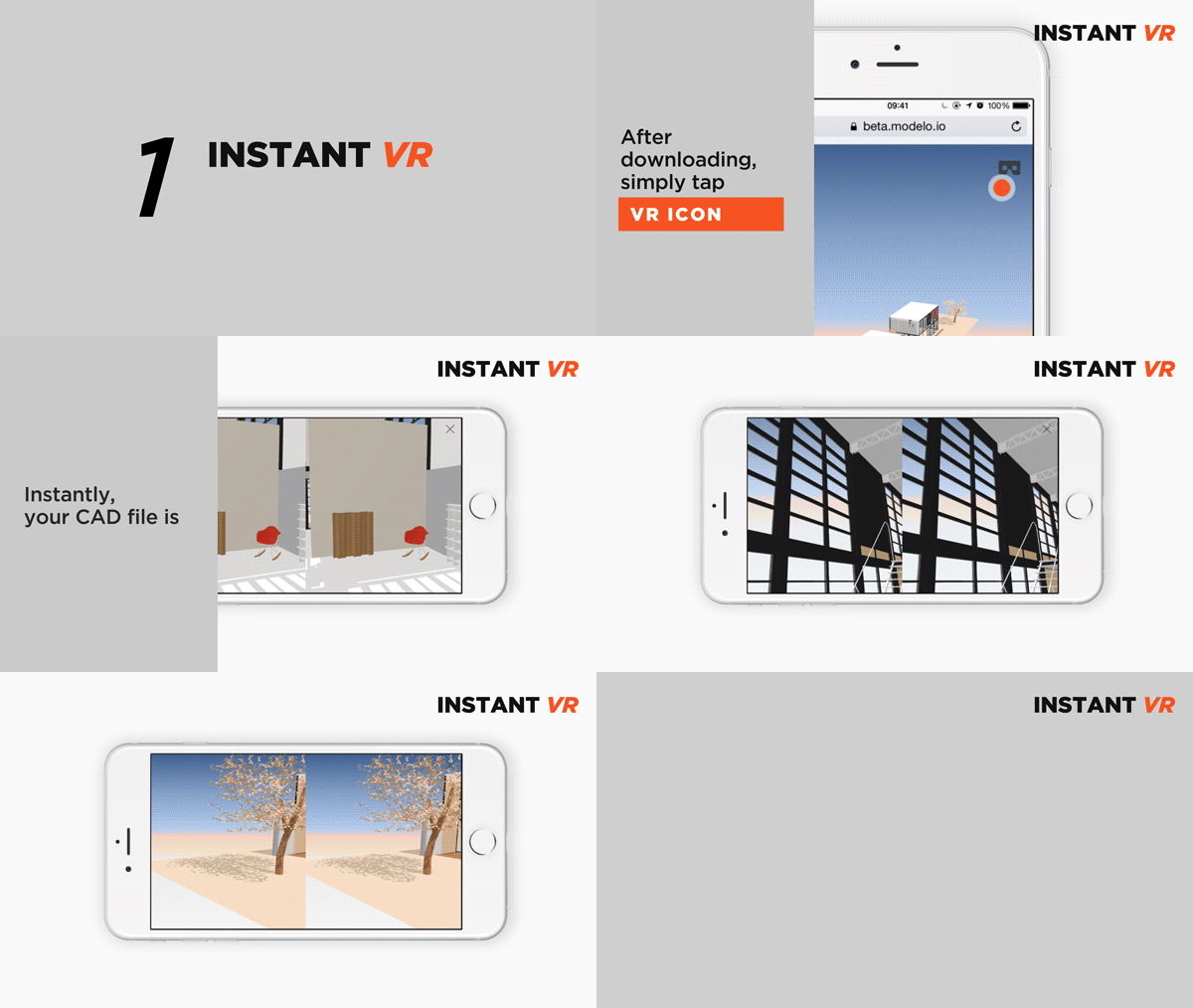
1. INSTANT VR
Without additional and complicated preparation, simply upload your CAD models to Modelo, access them from the iOS or Android apps, and then simply tap the VR icon. Immediately you are in VR mode! Put on a Google cardboard and instantly you are inside of your model.
If you set up some comment cards on Modelo, you can immerse yourself on a 3D tour of your design. (check here for “creating 3d comments” tutorial)
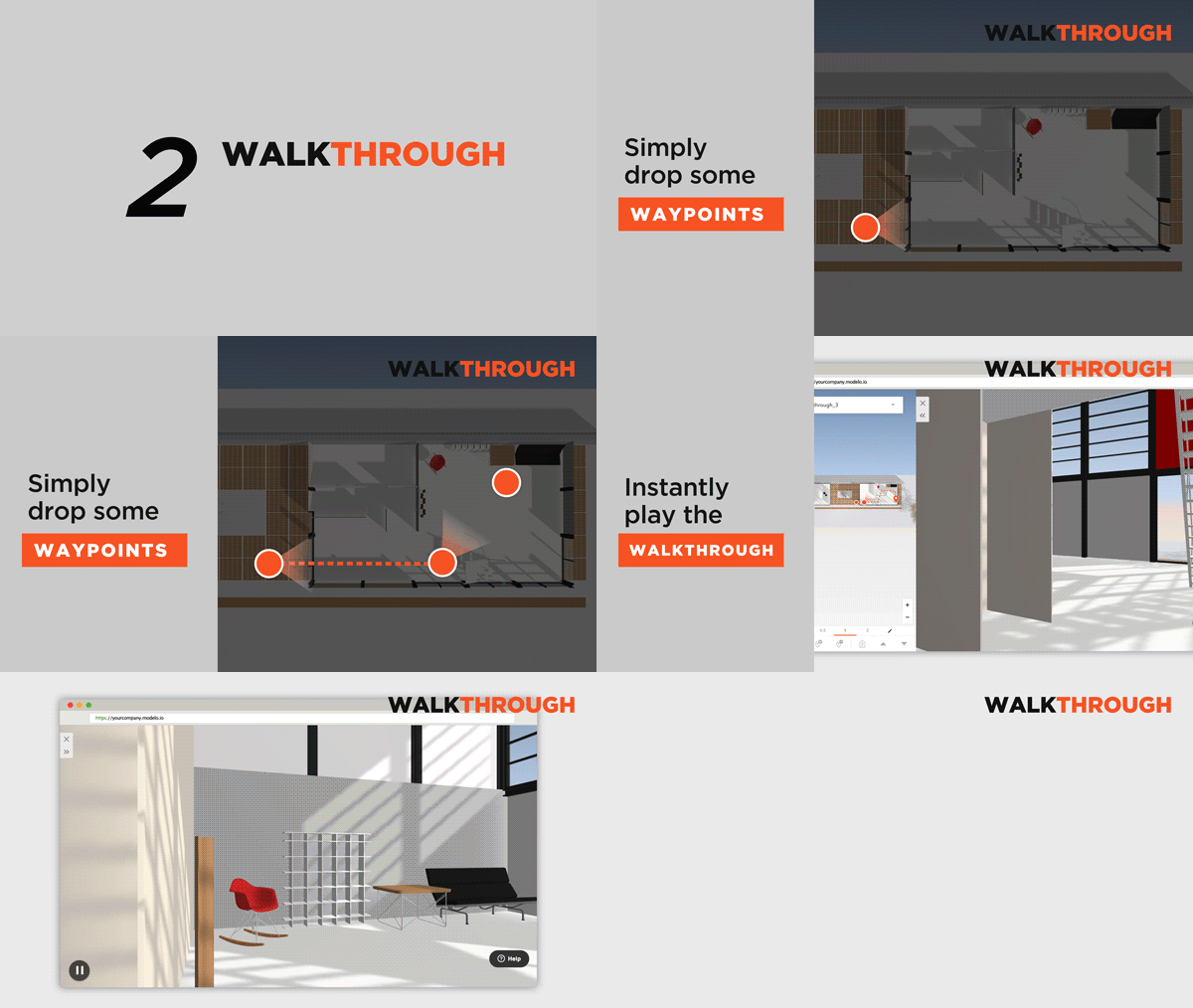
2. WALKTHROUGH
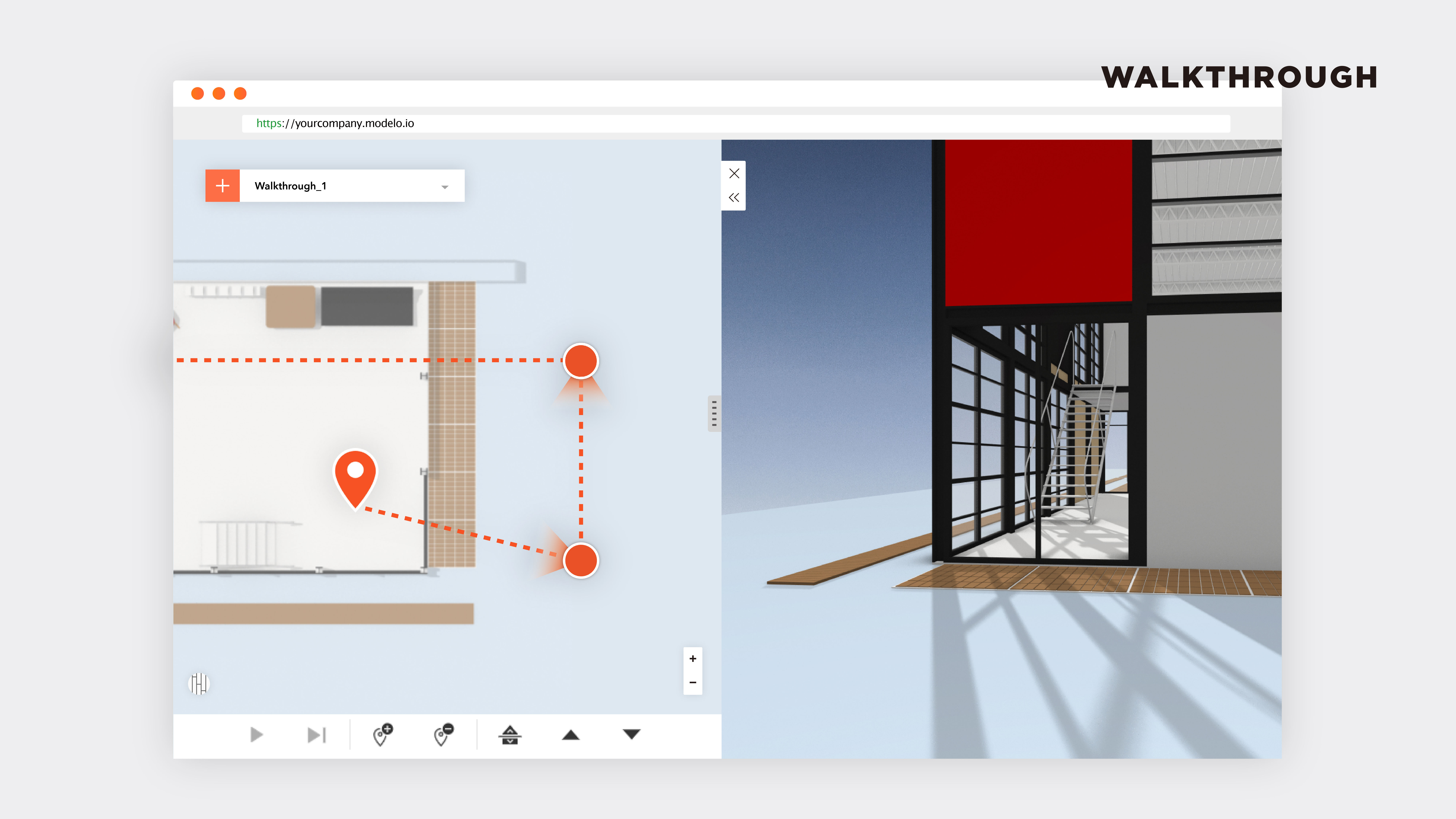
Walkthrough is one of the most innovative and intuitive features of Modelo by far. We’ve fundamentally re-thought about the process, so you can create walkthrough effortlessly in your browser.
Simply just drop some waypoints on the floor plan and automatically a walkthrough will be generated! If your design has more than one floor, you can now travel up the stairs seamlessly. (Check out the tutorial here)
3. RENDER SPEED
Our proprietary rendering and compression engine enables complex models to be visualized directly in internet browsers. Modelo is the fastest 3D rendering platform in the world, with spin speeds up to 50x faster than native CAD software.
4. 3D COMMENTS
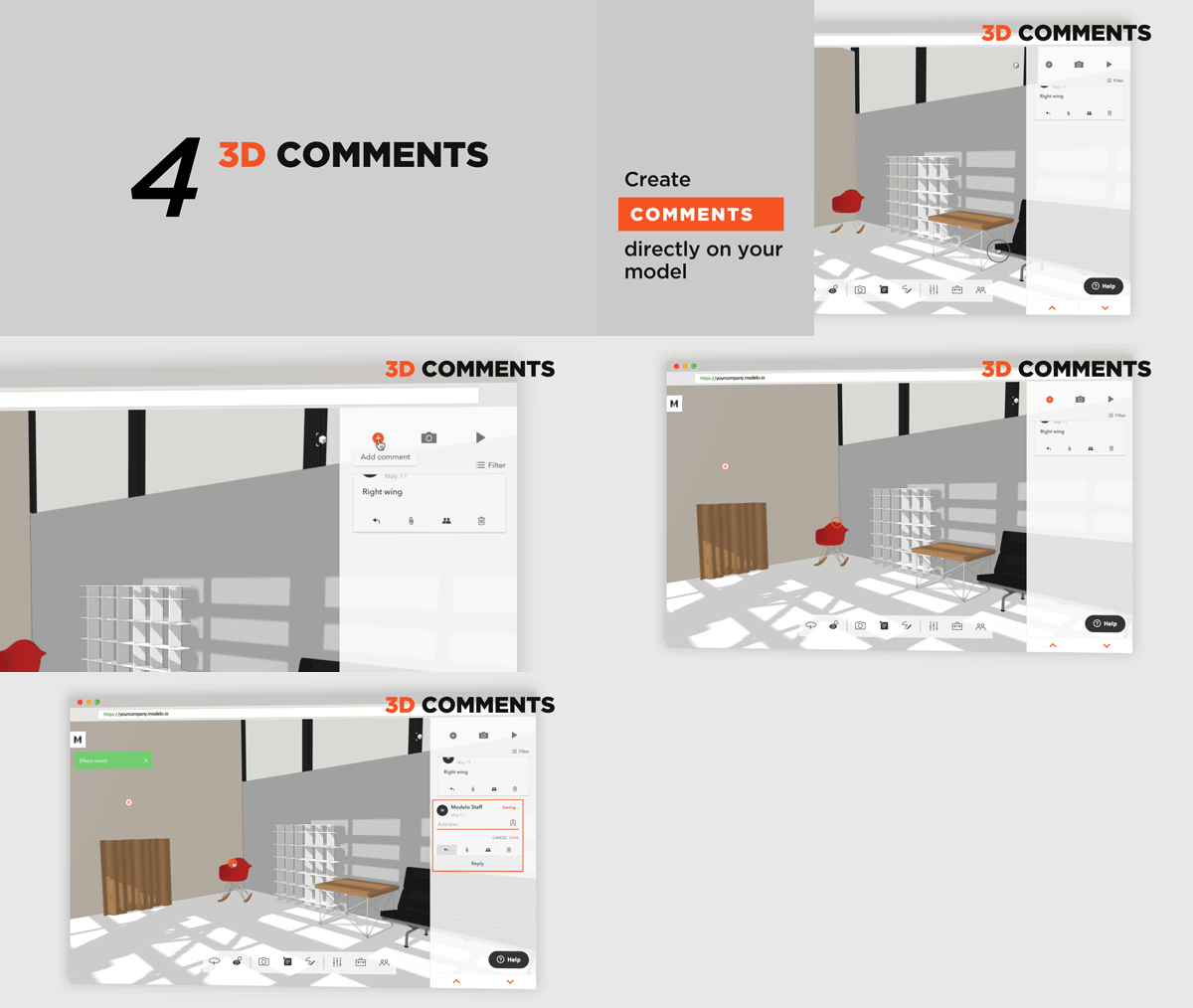
With the 3D comments feature, you can give specific feedback on targeted areas of your model. Your team members can access all the comments instantly and accurately. And they can also reply on your comments directly on Modelo and mention anyone on your team to join the conversation using “@”.
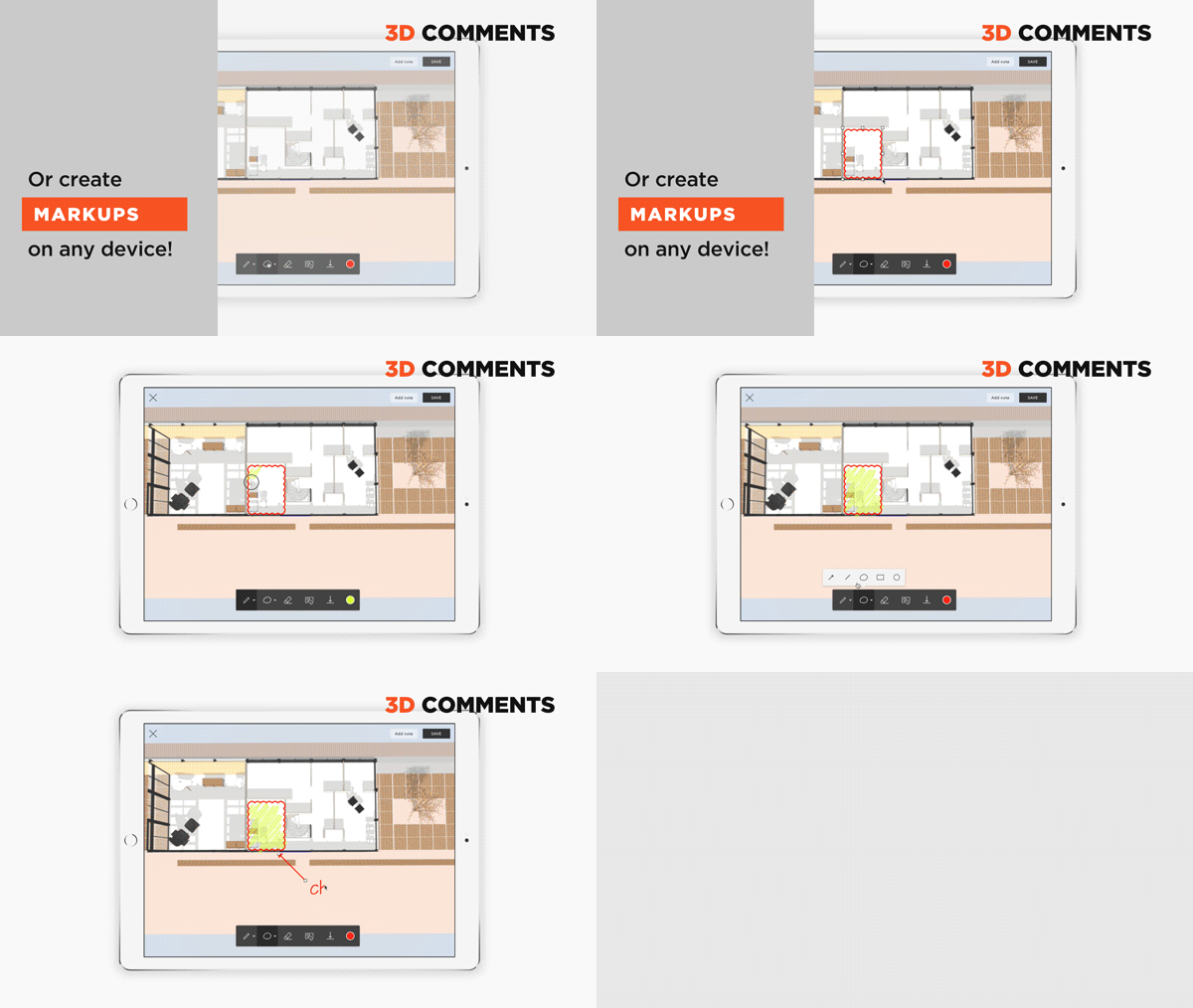
Also you can use our professional MARKUP tool, coupled with SECTION tool, to share the feedback instantly to help improving the design.
5. Architect Effect.
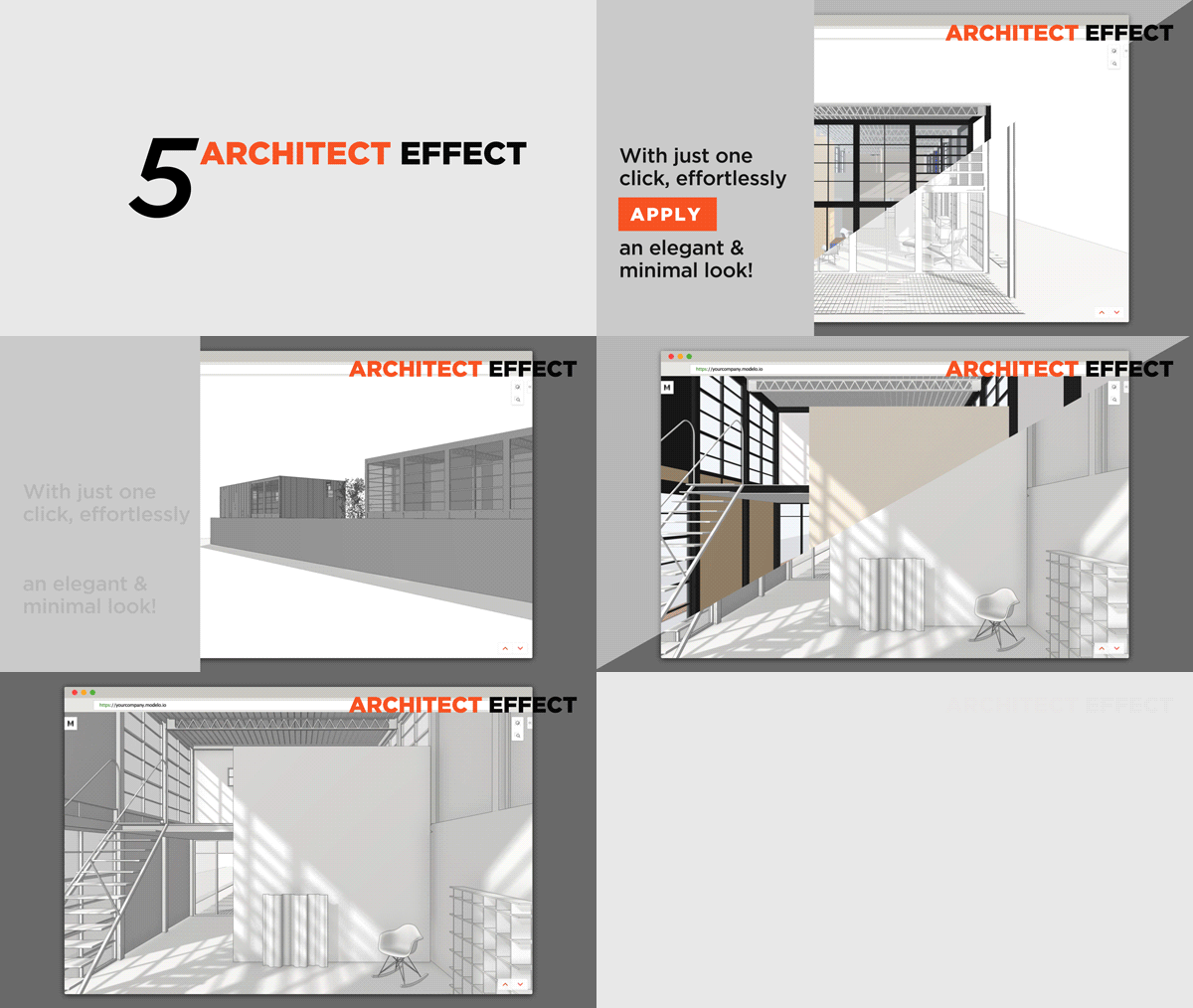
Tired of using Make2D and Illustrator to get your desired effect? With #ArchitectEffect, it only takes one click, to transfer your model into this elegant and minimal drawing style in one second!
Design Manifestos: Raegan Porter of FGM Architects
Raegan Porter (Photograph courtesy of FGM Architects)
Raegan Porter is a Registered Interior Designer with a diverse background in recreation, municipal, educational and contract design. She is the Municipal Interior Design Leader for FGM Architectslocated in Oak Brook, Illinois. Raegan has a unique ability to understand her client’s needs and incorporate them into creative, functional space plans. Through space planning, materials, furniture, lighting and art work, she brings her clients vision to life. Her goal for clients is to create an overall experience for the communities using her spaces. She states, “I often judge a space on how it makes me feel. I want to create exciting spaces that make people feel good.” Modelo spent some time learning about what inspires Raegan and about her current role at FGM Architects.
On becoming an interior designer
My mother and grandmother were a big influence on my love of art and design and my decision to become an Interior designer.
My mother had intended to go to Art school in Atlanta in the 1960’s but, due to the rioting happening at that time, her family decided it was best she didn’t go. But she still had a love of the arts and always encouraged my creative side!
My grandmother was a painter and creative in every sense of the word. My cousin and I, who are very close in age and in spirit, spent many hours with our grandmother playing games that involved creative thinking and design. The three of us would dream up designs for our future homes and weddings. Both my cousin and I decided at that young age that we would be designers. And there was no turning back!
I feel very lucky that I knew so early in my life that Interior Design was my calling!
On discovering her voice as a designer
Since I can remember I have had a LOVE for color. Some of that comes from my mother and aunt who also have a love for color and art. Being immersed in that from an early age has most definitely contributed to my love for color and dramatic environments.
For a while I freelanced at a firm that did more commercial interiors and was introduced to this idea of branding environments, this idea was fascinating to me. After some research I found it was a concept that made so much sense to me. It can help increase the client’s bottom line, so why wouldn’t they want to use their environment for marketing? Designing a space to embody the client’s brand is something that I am always trying to achieve. It is in my nature to want to help, so if I can help a client have a competitive edge or help the impression of a client to the public I am happy.
I also believe that all the adventures that I encounter in life have an influence in different ways whether it’s dance, fitness, painting, teaching self-defense or my passion for giving back. All of these have an effect on who I am which I know in some form shapes how I design.
McHenry Recreation Center (Images courtesy of FGM Architects)
On joining FGM Architects
I started with FGM right out of college. My lighting professor in college put me in touch with a gentleman who did a critique in our class. He was a project manager at FGM and that’s how I got connected to interview.
In the early days I learned functional and durable design as well as how to be creative on a budget. We learned fundamentals in school but the early years of working are where you really learn. A majority of the buildings that we work on are public facilities that will be around for a long time, not to mention the abuse of a 24/7 facility. The functionality and durability are critical. Budget is key so it is critical to find durable inexpensive materials or reinvent standard materials. It’s easy to find really interesting materials when you have a large budget but when you are forced to reinvent materials on a tight budget the real creativity happens. That’s a talent I have learned at FGM that I wouldn’t give back for the world.
With the down turn in the economy I was laid off after about two and a half years. I went on to work for a furniture dealership and had my own company doing design. In 2014 I knew FGM was looking for someone to head the Interior Design for the municipal practice area so I reached out and interviewed.
Coming back and working the second time around I am truly grateful for all that I learned while I was away. There are talents and lessons I have learned I may not have had otherwise. Those are invaluable tools that I got to bring to back to FGM with me, making me a better designer for FGM and our clients. To this day I am still learning from the amazing team of people that I get to work with every day and continuing to evolve in my approach.
On specific principles she strives to adhere to
In each project I try to create an overall great experience for those using or visiting the building. We spend so much of our lives now stressed and busy. I try to create environments that welcome you in and give you a “WOW” moment.
Designing the clients’ space to embody their Brand.
Designing healthy functional environments for the client.
On her role at FGM Architects
My role as the head Interior Designer of the municipal practice is multi-faceted. One day it could be…who am I kidding one hour it could be marketing then project management, design or drawing. It just depends.
I work hand and hand with our Head Design Architect Louise to come up with the design direction on each project. Then for the interiors I work with our team giving design direction for them to implement. However, I must say it is a team effort! The whole municipal team is very collaborative on all aspects of a project.
Chevy Chase Country Club (Images courtesy of FGM Architects)
On recent projects that represent the firm’s unique approach
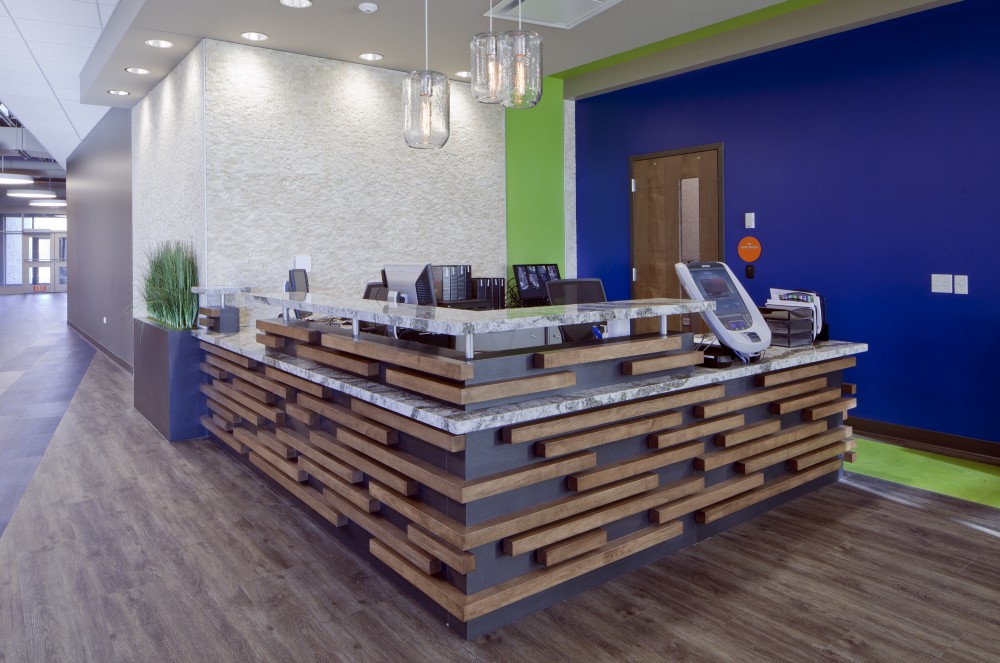
We breathe energy and life into our built environments that can’t be duplicated. A great example of this is a project that was just finished a year ago, McHenry Parks and Recreation. The use of natural materials with vibrant colors gives you this great warm energy right as you walk in the door. Many of the community members have been quoted saying “wow I wasn’t expecting that” with a smile on their face and eager to see what the rest of the facility looks like.
We have an understanding of our client’s profession which allows us to help when planning and listening to their needs. Another project that is a great example of this is Chevy Chase Country Club in Wheeling, Illinois. It was an addition renovation. After listening to their needs and studying the space, it was clear that the traffic flow needed to be more efficient. We added an event room for weddings and corporate events that seats around 200 people as well as a new pre-function and sales office. Moving the pro shop off of the gable room so that golf is separate from the event spaces helped tremendously. This is also a great example of how an interior renovation of a space can affect your bottom line. The new space has been open for only a year and bookings are already up. Currently we are compiling the data for a case study and it is looking very positive.
On her design toolkit
FGM is a firm that is standardized on Revit which has taken designing to a new level. It is always a struggle to be able to provide 3D modeling to help clients visualize while keeping cost down in order to meet budgets. Revit allows us to provide a 3D of the space while part of that time is still working on the construction documents.
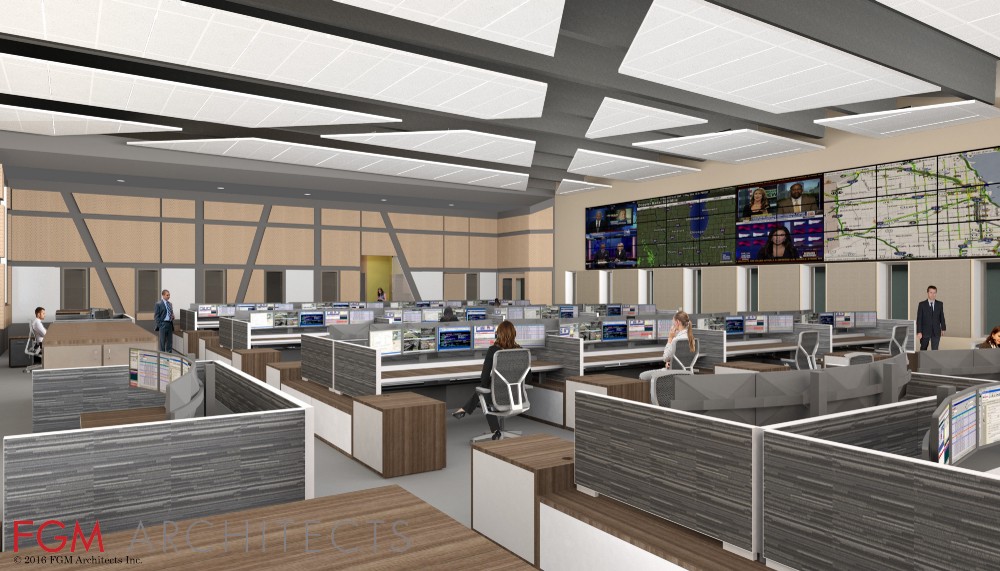
A great example of this is a project that is currently under construction for Addison Consolidated Dispatch Center in Addison, Illinois. The space is designed to reduce stress for the employees taking into account the way light is used and sound levels. There are a lot of natural materials used with accents of blue and green. Revit allow us to show the client what there space will look like and the ability to tweak things before even building the space.
Addison Consolidated Dispatch Center (Rendering courtesy of FGM Architects)
On the state of design software today
There is a plethora of design software to choose from. It amazes me how far we have come in the past ten years, it makes it so much easier to convey a design or space to a client that may not be able to envision the creation.
On the future of the design industry
Designers are always pushing the limits and that is something that will always continue. Where we need to spend more time is really educating the general public on what we do and the benefits of our profession. We don’t just pick materials and colors. Although I love that it’s really is only about 5% of what we do.
Honestly I don’t know how our industry will evolve moving forward. We have seen so much change in the past ten years with the recession, inventions in technology and political climate. I do believe it will be positive change filled with its own exciting puzzles to solve.
On advice she would give her younger self
I would say to myself: network, network, and network! You never know where something will lead.


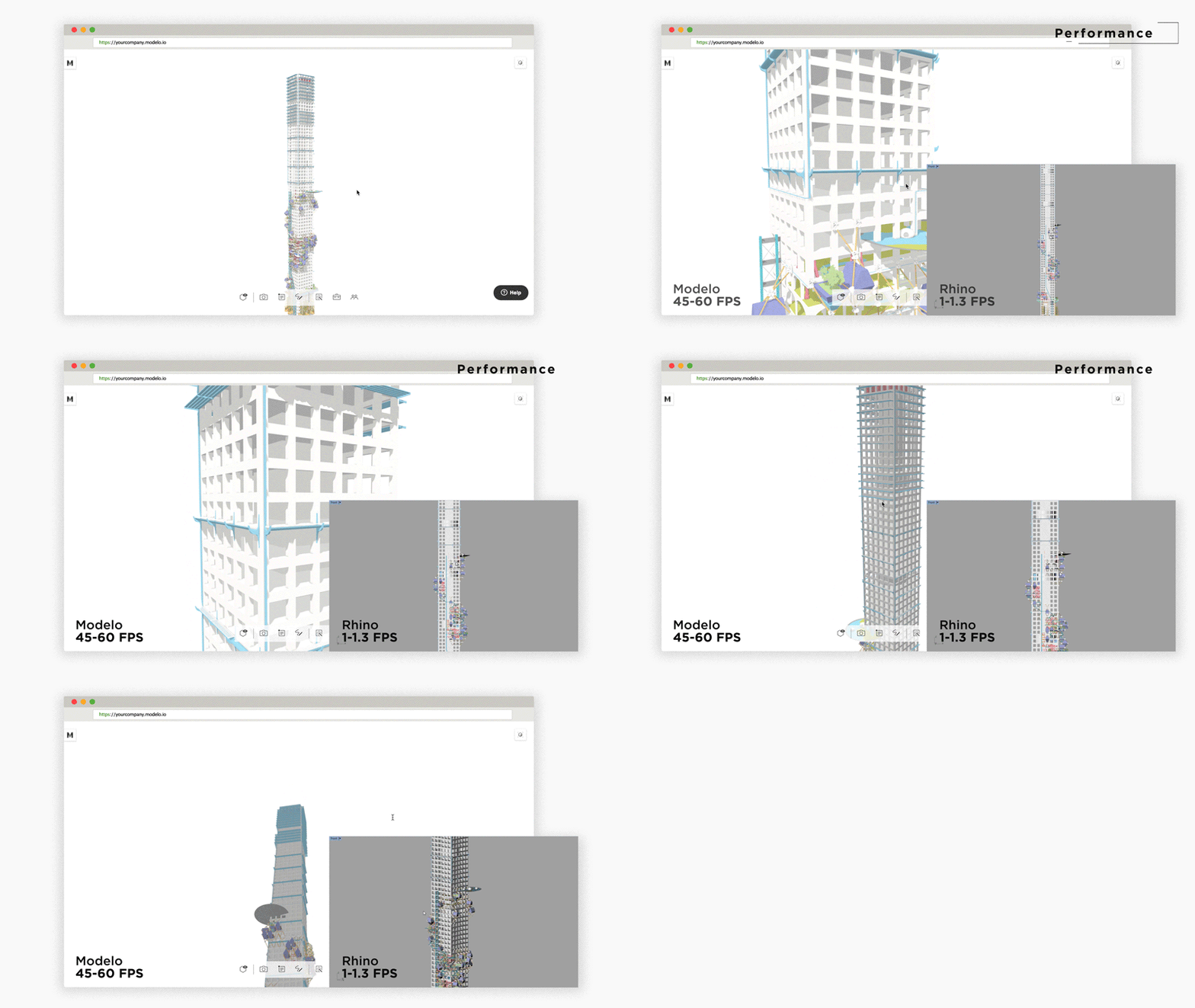

 Ultimately, we can to reduce a 700mb Rhino file down to 100mb, and it loads quicker and smoother in Modelo. I hope these tips help get you started on your journey in Modelo!
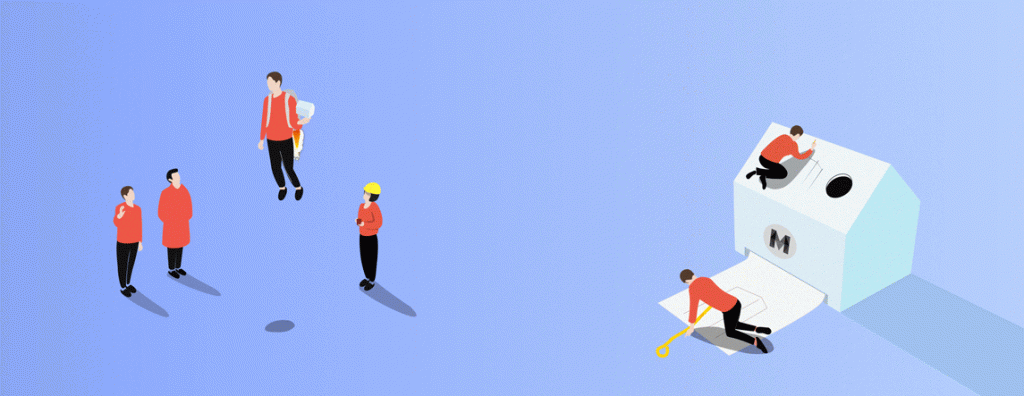

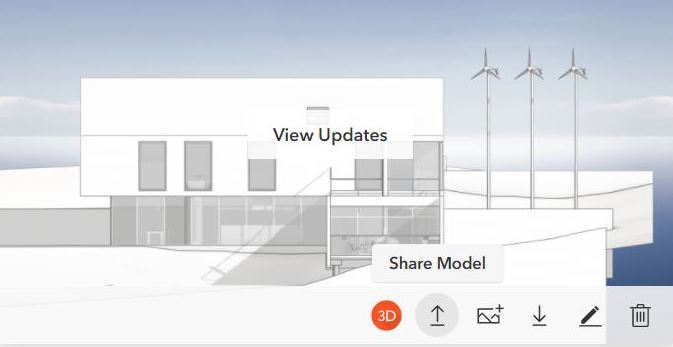
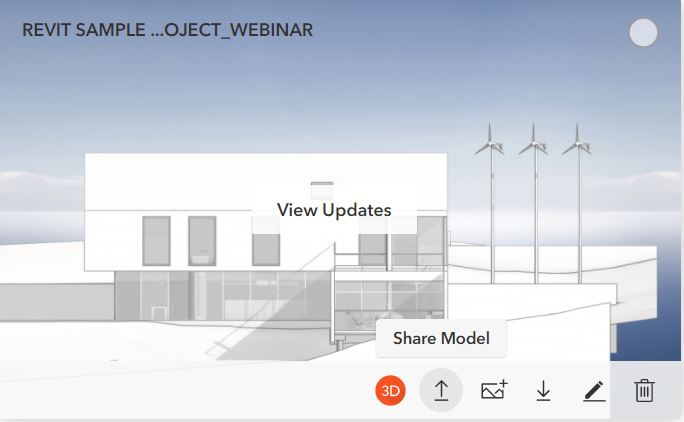
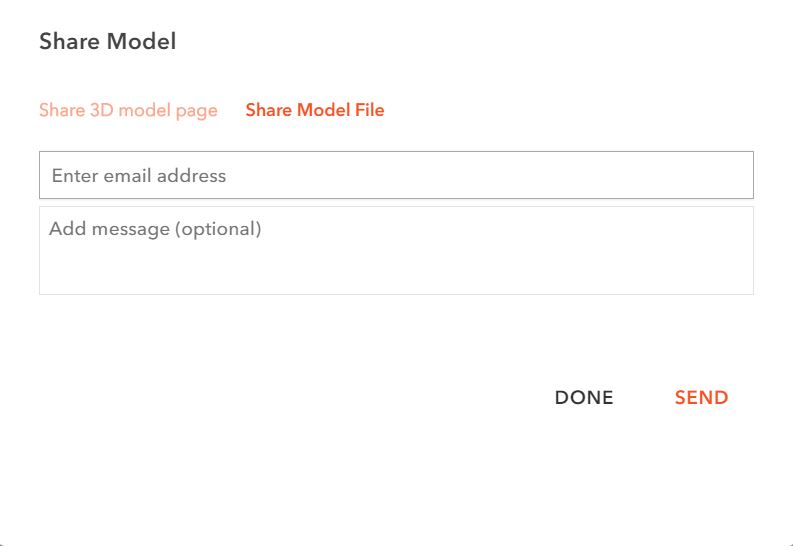 Your recipient will instantly get an email to download. In the email, there is a button to download and a button to view. You can preview the model in 3D while waiting for it be downloaded.