Culture Cultures

UNBUILT: Culture Cultures

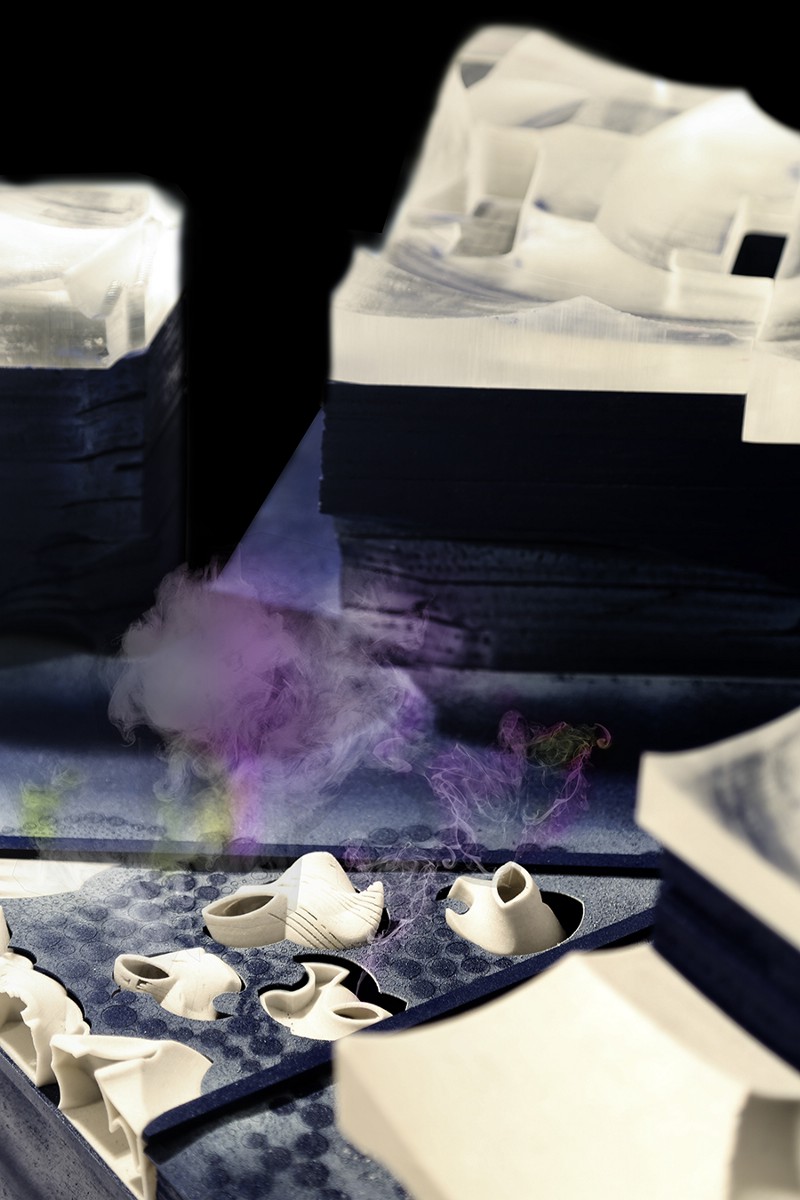
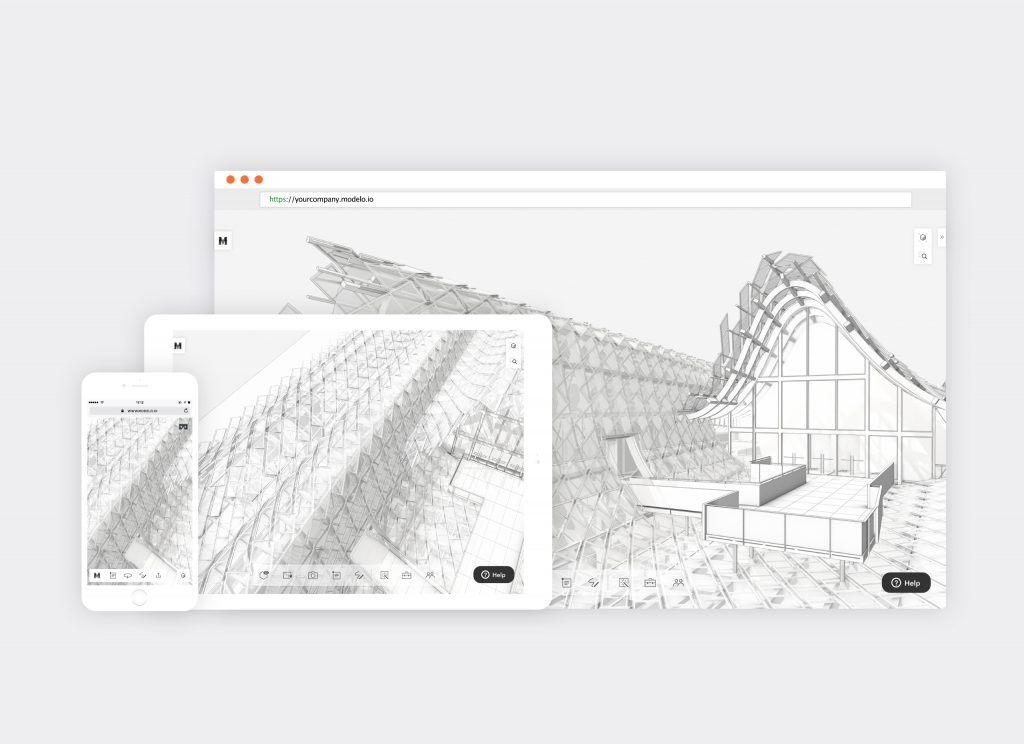
Featured in this week’s UNBUILT post, is Zherui Wang’s Coney Island Life Screen project. Check out his 3D model here.


Zherui Wang
Pratt Institute School of Architecture
Lee and Norman Rosenfeld Award for Best Thesis
Critic: Jason Lee, Michael Chen
In Collaboration with Molly Mason


“We are only being offered one particular story about the deployment of networked informatics in the urban Milieu… it only portrays the narrowest sliver of what is possible.” -Adam Greenfield, Against the Smart City


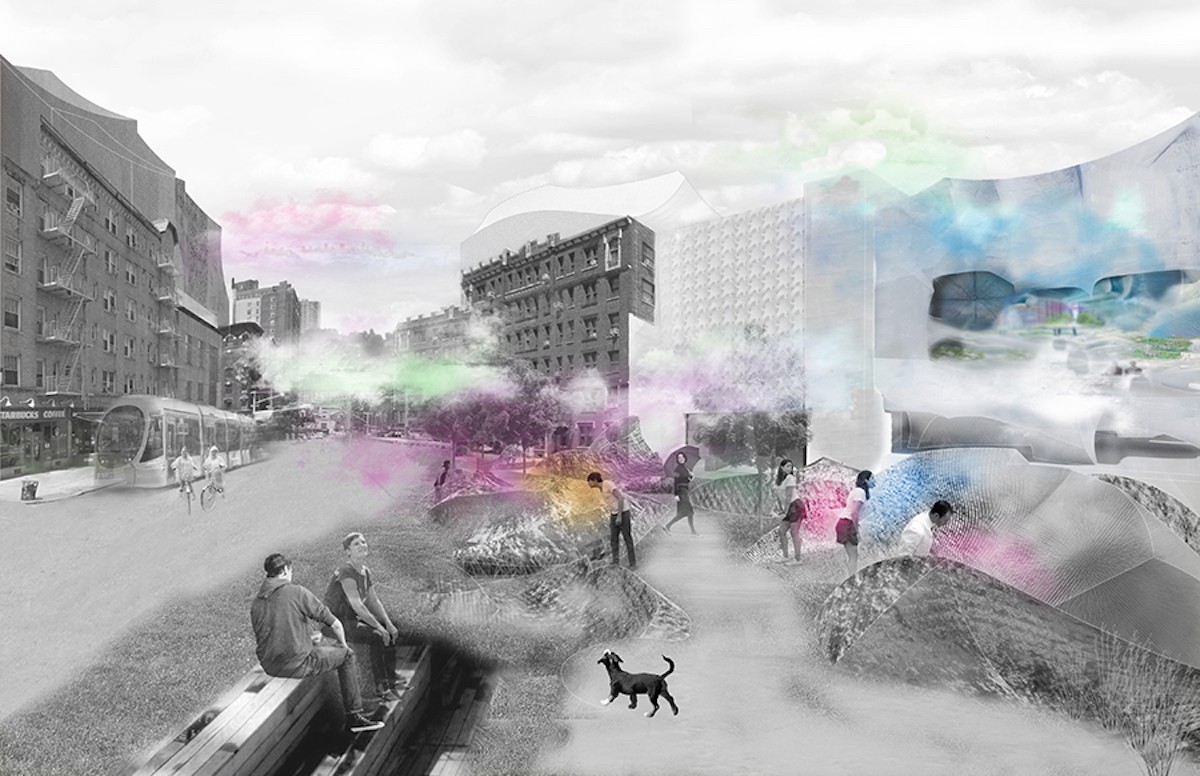
New York, 2050. The agenda of the Smart City is to collect information from the vast datascape that saturates urban environments and render it actionable. The collection of data, lying latently embedded in everything we know, has had an increasingly physical effect on how cities grow, mutate, and behave. With each evolution of information infrastructures follows a higher degree of data resolution and, theoretically, a more sensitive city. We are interested in the next paradigm of information, life after the Smart City: a Biosentient City. By combining wetware with the New York’s existing hardware and software infrastructures, we are speculating on a new urbanism brought about by information.


Data requires units of measurement; Information requires an awareness of trends. The human body is already a rich site of bio-information. With a microbiota to human cell ratio of 10 to 1, these micro-organisms provide highly specific profiles of bodies and their activities. By tracking microbes, we observe that the data between bodies and bodies and bodies and spaces is in constant exchange. The Biosentient City begins with the dispersal of airborne bio-sensitive agents, bacteria capable sorting microbial data with an enhanced sense of delicacy and reacting based on a genetically programmed ruleset. If we coat New York with enough of these agents the City can truly behave as an organism; the collective bioagent population will register microbial exchange and behave accordingly. The city will transform with its own emergent consciousness.

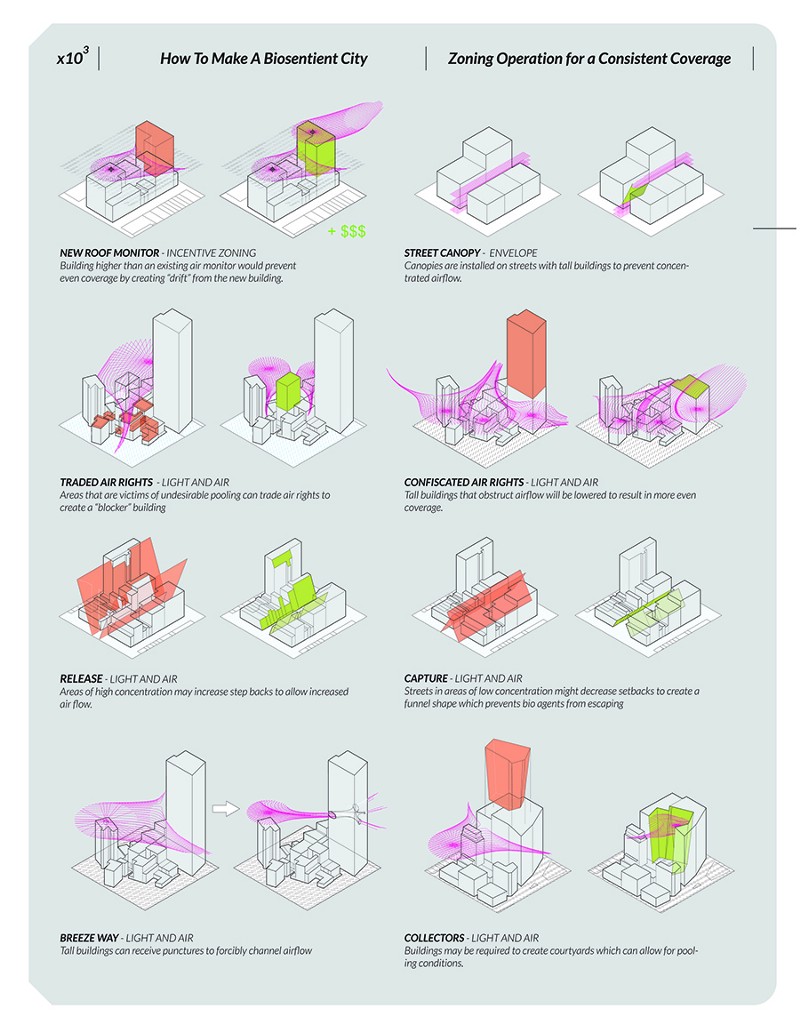
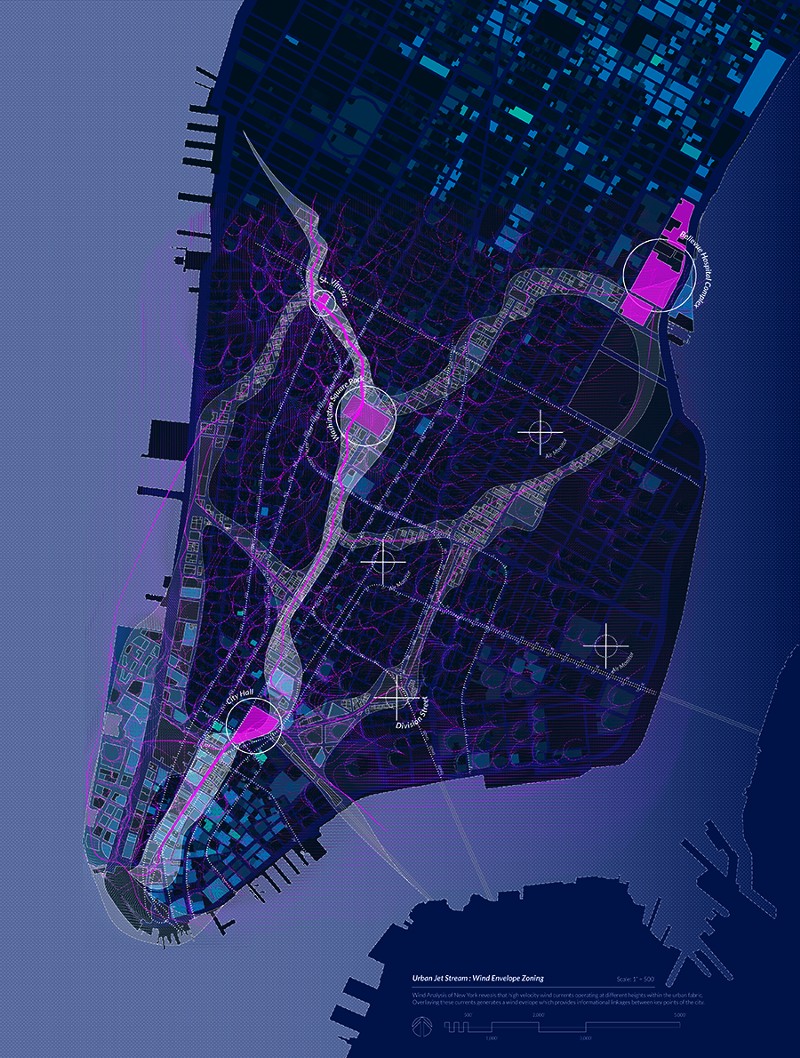
New patterns of behavior will emerge at different scales within the Biosentient City-some with explicit instructions from municipalities, others seemingly of their own accord. We expect these to be accompanied by design moves on the urban, architectural, bodily, and micro scales. Changes to the Zoning Envelope will affect aerodynamic (and thus bioagent) flow through the city, creating neighborhoods of high information collection and potentially changing real estate value. Street space, the public tissue housing the exchange between many bodies, becomes invaluable in observing rising trends within the city.


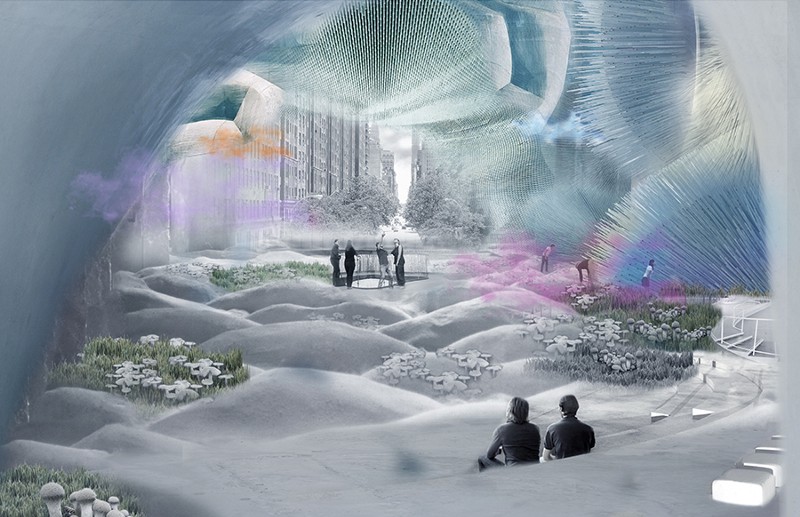
A new body consciousness will descend upon the New York, allowing for the formation of new typologies such as the Pharm, a public facility where bioagents are grown, collected, and released. The site, 67 Greenwich Ave, acts as an entirely public space, a park where strange events occur in a normative manner. Interfacing with the biosensitive microtextures that compose the architectural assembly, visitors donate their microbes to the architecture which, in return, sniffs and trembles as it exchanges information with bodies. The body and architecture have tangible effects and affects on one another.


Through this exchange, we expect many issues to arise: questions of privacy, of resistance or compliance, speculations on policies, debates of top-down versus bottom -up, promises of material, challenges of “natural versus artificial.” Culture Cultures explores the emergent cultural trends of a city beginning to grow as a biological culture.

The Ultimate Guide for Creating Interactive 360º Tours with Modelo

360º tours are the most immersive way to present your unbuilt designs in the correct context. By involving clients, contractors, or other stakeholders in the design review process earlier, all parties can be more involved, making it easier for you as a refined designer to make tweaks sooner rather than later.

We’ve outlined the ultimate guide for creating 360º tours that will take you through step-by-step on how to use Modelo’s new 360º tour feature for both presentation and design review purposes.

Step 1: Creating your Project and Upload your Panorama images
To begin, create a new project in Modelo. For the purpose of creating a 360º tour, we will be focusing on the “Create 360 Tour” tab highlighted below.

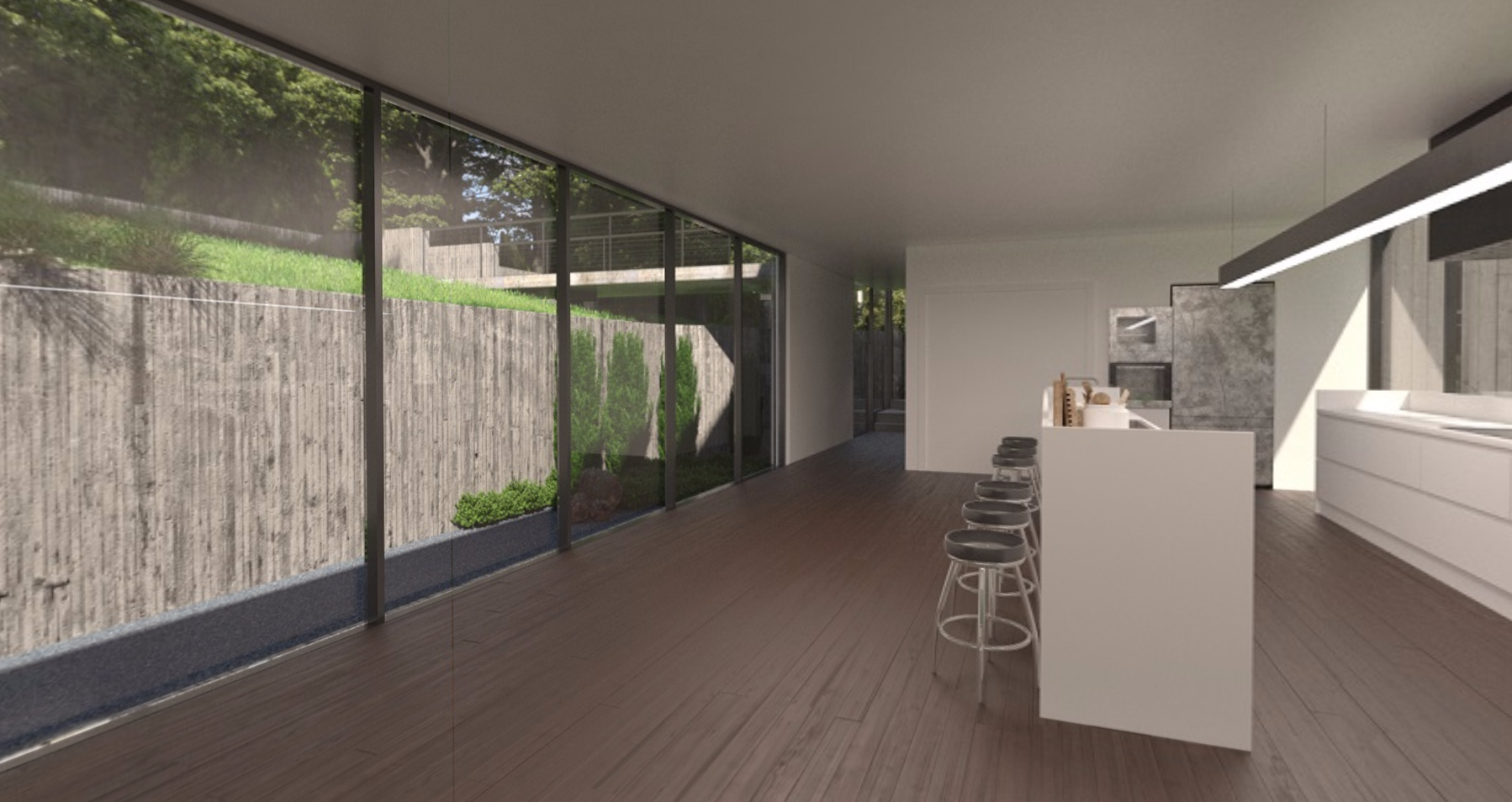
For imagery requirements, panorama images can be taken using a dedicated 360º camera, like the Ricoh Theta, or by using rendering support such as Lumion or V-Ray. Then uploading them to Modelo and getting started is a breeze.

When uploading the images, you first want to create a new folder (or multiple folders) to store all your images. You can sort however you see fit- by project, by phase, or by date. Modelo is compatible with the following file formats: PNG or JPG, and we also support cube map and spherical images.

Step 2: Creating your First Hotspot
Once your images are all ready to go, you can begin creating hotspots. These hotspots will act as the tour guides throughout the 360º tour. Simply click on the “view” button and you will be taken into that panorama. You will also notice all of your other images in that folder on the bottom bar, which will help you create a consecutive path by linking to each image. Note: the current view is highlighted on the bottom bar, this is also your starting view.

To create your first hotspot, click “Add Hotspot” in the top right-hand corner. An orange dot will emerge, allowing you to place it on any point of the panorama. You can rotate the image in order to call out certain areas of the scenery, like an entrance to a building. After you place your first hotspot, you must choose the second panorama image from the bottom bar that you would like to link to.

This second image’s direction should be consistent with the first, and bring you to the next consecutive point on the tour. It’s all about the end destination and creating a guided tour that demonstrates the consistency. Keep in mind that if you’d like to go back and forth between points during your 360º tour, it’s necessary to link back to the previous image. Then repeat these steps for the next hotspots and you’re on your way to completing your first 360º tour with Modelo!

Pro tip: Make sure to save and test throughout your tour creation process.

Step 3: Playing and Sharing your 360º Tour On Any Device
Congratulations! You’ve successfully created your first 360º tour with Modelo. Now it’s time to play and share with other colleagues or clients. To play your 360º tour, simply choose your starting view by selecting the image you’d like to begin your tour with, and then click on the “Play” button.

Everything in Modelo has the ability to be shared, that’s what makes collaboration so effortless. To share your 360º tour, simply click on the “Share” button and a unique URL will be generated for you.

We get it, sometimes you need to tweak things as your designs go through different iterations. That’s why you can always edit your 360º tours and preview the shareable link before you send along to other stakeholders, so you can see what they’ll see.

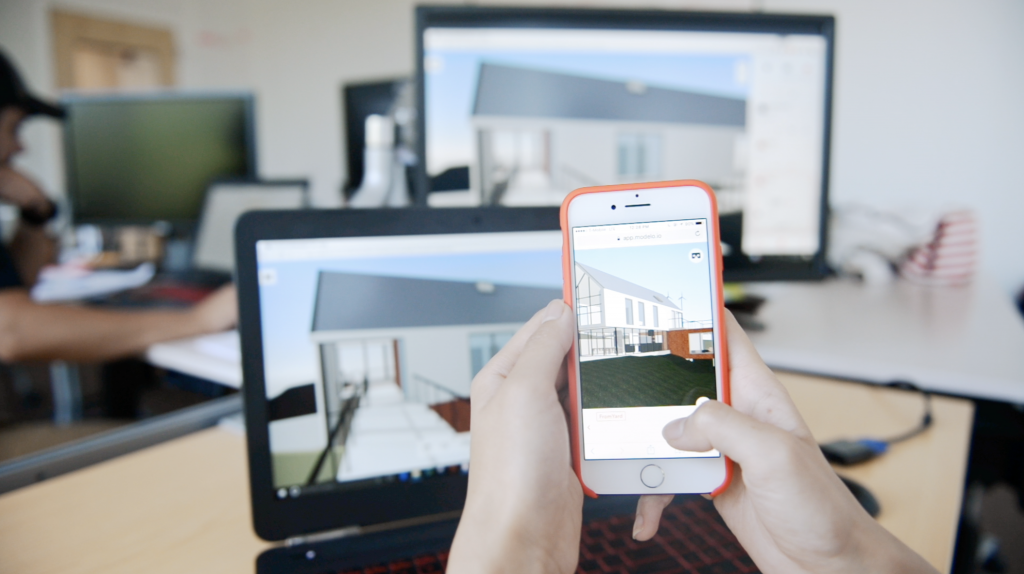
Once you’re ready to go, copy and paste the URL and send it to anyone on your project via email, text, or through the medium of your choice. They can then open it up on the device of their choice- phone, tablet, or computer- and view with confidence and ease. Plus, you can embed 360º tours on your website to impress visitors and potential clients with your designs.

Step 4: Virtual Reality and Hosting your 360º Tours on Websites
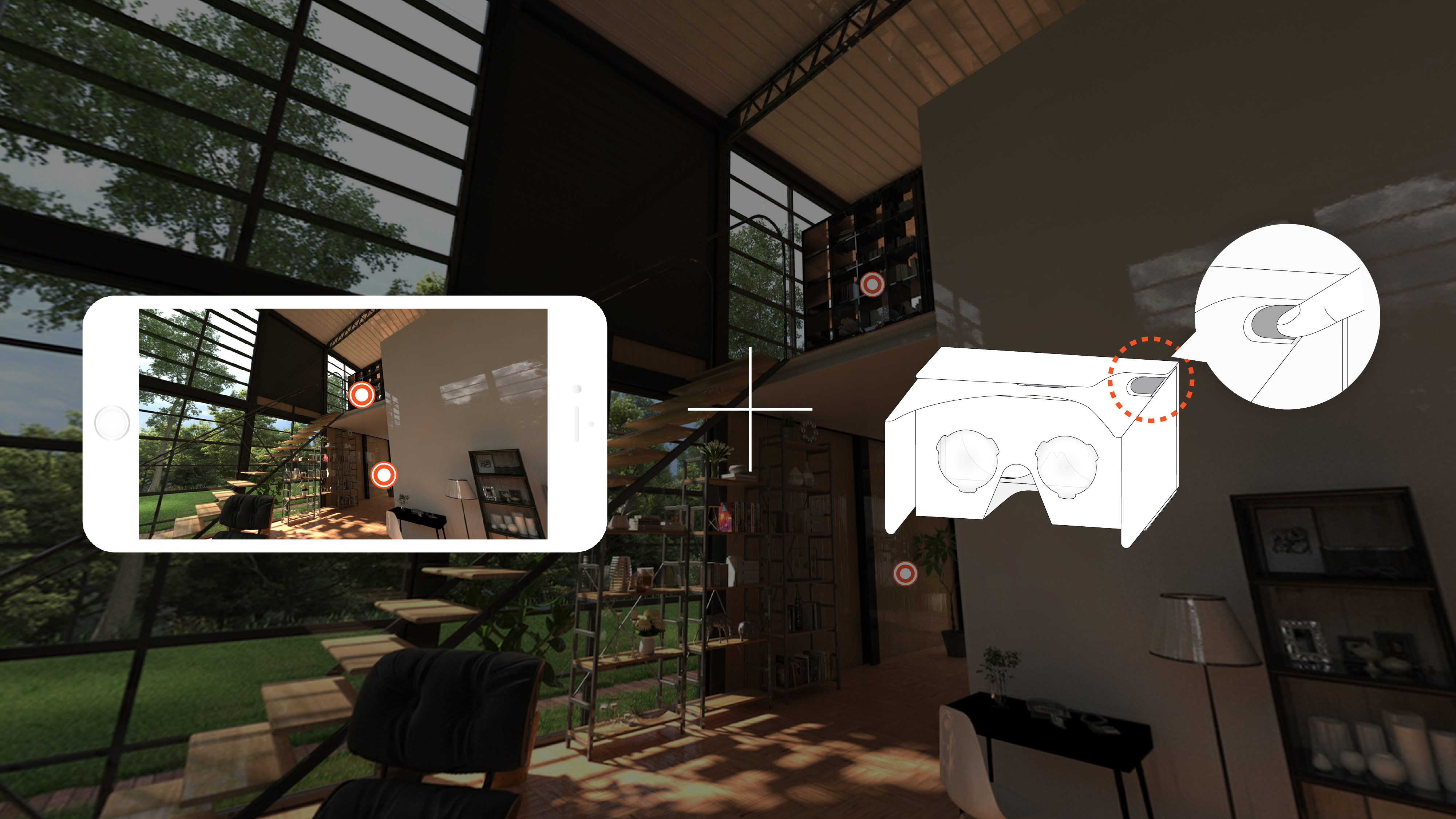
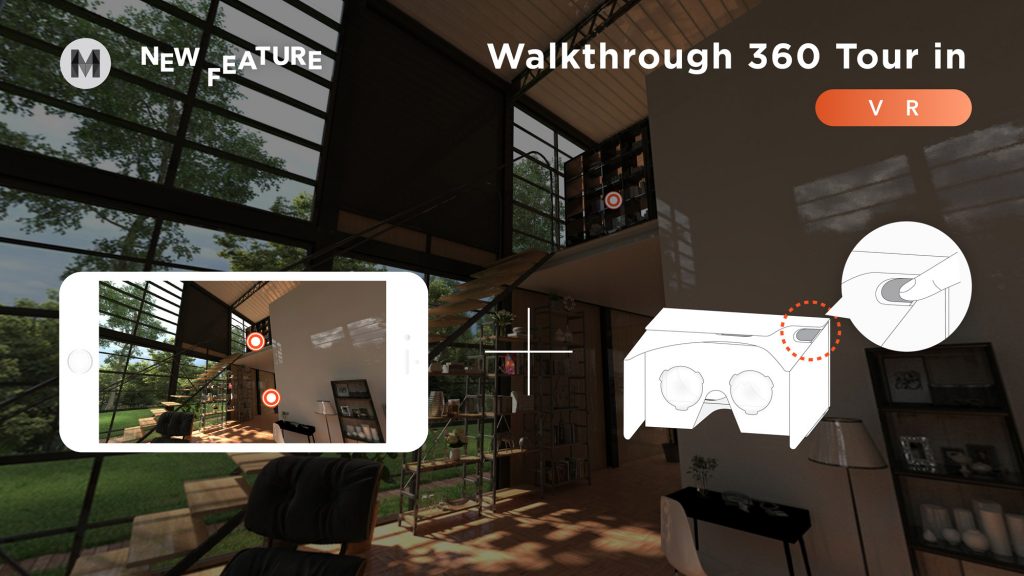
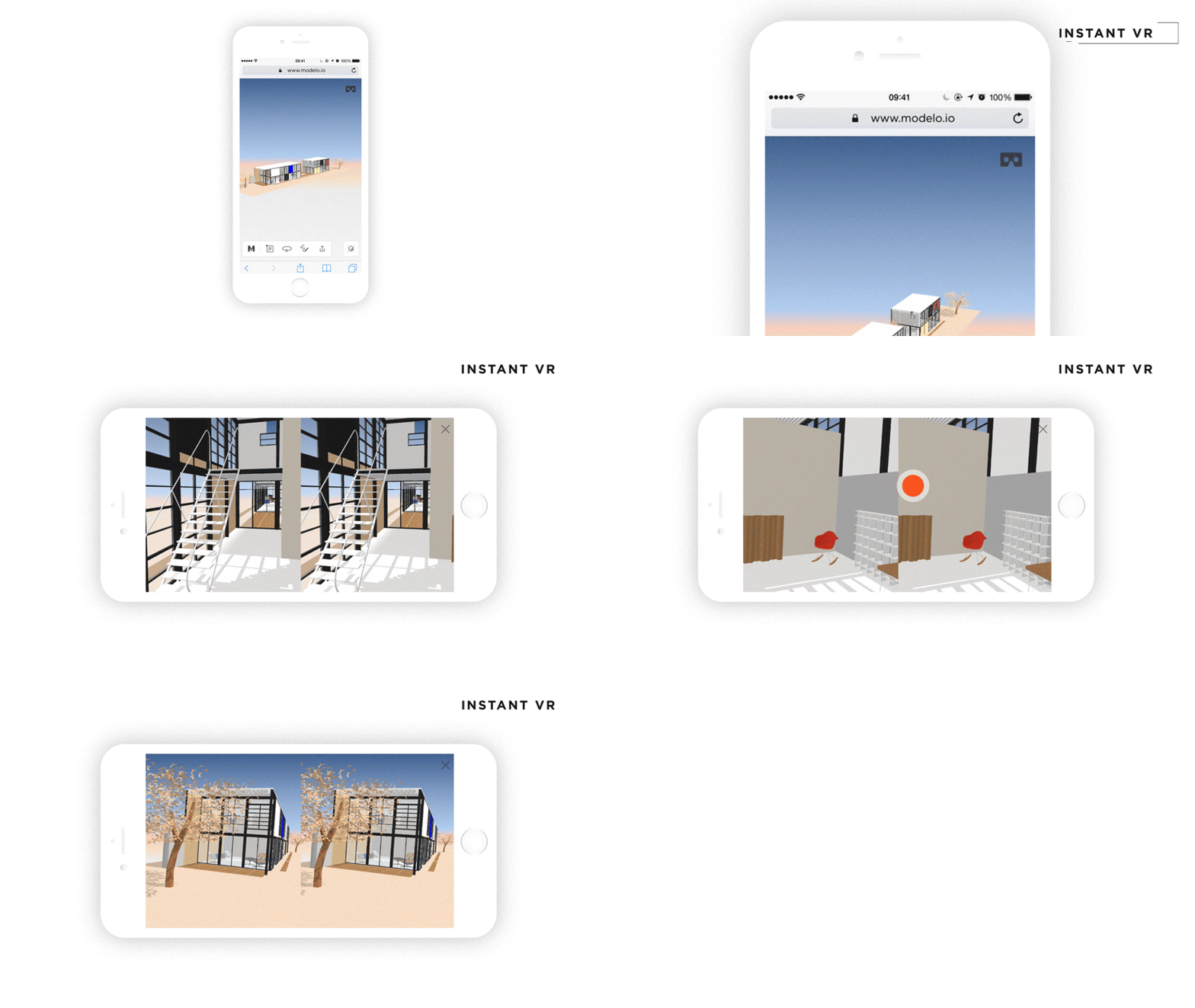
The best part about sharing designs with clients using a unique URL link is that they can slide their phone into a Google Cardboard and view the 360º tour in Virtual Reality with the click of a button. Google Cardboards are a great option for architects to implement into their design review workflows because they are inexpensive and less clunky than other VR options.

Modelo and Google Cardboard are bridging the gap and making VR accessible to non-CAD users, as well as experienced CAD users. Clients need to see 360º tours in VR because it brings a space to life, allows them to visualize and tour their building before it’s built in the right context, and makes design reviews more productive. 

To view the whole tutorial video, click here. Modelo makes it easy for you to immerse your clients, contractors, or other stakeholders in an interactive 360º Tour during design reviews and presentations. Get started on yours today!

4 Hidden Gems in Boston Changing the Future of Urban Farming

Cities are constantly bustling with visitors, residents, cars, trains and movement. Cities never sleep, but they do breathe. And cities crave green spaces to provide an oasis for healthy, urban living. Companies around the world have started implementing urban farming initiatives in densely populated areas and even on top of buildings to provide just that.

One company in particular, Green City Growers, located in Somerville, MA and has worked on urban farms and green roofs throughout the Greater Boston area. As an award-winning B Corporation, GCG’s mission is to transform unused space into thriving urban farms, providing clients with immediate access to nutritious food, while revitalizing city landscapes and inspiring self-sufficiency.

Green City Growers (GCG) has worked with both commercial and residential clients in the Greater Boston area, inspiring change and authentic living through urban agriculture. In this post, we’ll highlight some of their diverse work with Modelo’s 360º Tour tool to capture these unique landscapes and urban farms.

Fenway Farms
Success is achieved when you pair the old with the new. That’s exactly what Fenway Farms accomplishes in the heart of Boston, MA. Green City Growers worked with one of the most iconic and oldest working baseball parks in the nation, Fenway Park. GCG CEO and Founder, Jessie Banhazl, adds, “Fenway Farms is an incredible asset to not only the Red Sox, but the City of Boston. Having an innovative, productive rooftop farm on top a city historical icon validates the idea that urban farming is an important part of the fabric of our city”

It’s unarguably an iconic example of successful green spaces and as GCG Urban Farmer and Educator, Lee, comments this project is a “home run for sustainable agriculture.” Fenway Farms represents the dedication of the Boston Red Sox to promote healthy lifestyles and the importance of eating fresh food. This project features a 5,000 square foot milk crate growing system with a smart irrigation system on top of the rooftop. Fenway Farms was accomplished in partnership with Recover Green Roofs and structural engineers designed a one-of-a-kind system that can both hold the weight of the farm, as well as resist environmental pressures such as wind uplift.

Fenway Farms shared by Meghan Barrett Modelo »

Rotate image to find the orange dots, then click to continue on the tour.

Crops are chosen by the park’s chefs at the EMC Club Restaurant and Fenway Farms has been providing organically grown vegetables and fruit to the restaurant since 2015, with a collaboration between the Boston Red Sox and Fenway Park. There are two harvesting seasons in Spring and Summer, and approximately 6,000 pounds of produce is harvested each season. Crops vary depending upon the season and the chefs’ desires, but some staples in the Spring include broccoli, arugula, kale, cilantro, carrots, greens mix, spinach, lettuce mix, mint, rosemary, thyme, oregano, parsley, radish, scallions, snap peas, and strawberries. And summer harvesting usually includes beans, chard, chives, cucumbers, eggplant, hot peppers, kale, basil, mint, oregano, parsley, rosemary, thyme, scallions, strawberries, sweet peppers, sweet potatoes, tomatoes, zucchini, and flowers.

The Strega Deck, opened in 2016, provides an exclusive look at the garden and was created as a result of Fenway Farms. It is an event venue for special occasions and directly located next to the rooftop garden. Green City Growers also maintains garden beds at Strega Deck and donates all food to the community via a food rescue partner, Lovin’ Spoonfuls.

Fenway Farms shared by Meghan Barrett Modelo »

Rotate image to find the orange dots, then click to continue on the tour.

Kendall Center
Public educational gardens bring new life to urban areas that were once empty. A prime example of this is at Kendall Center in Cambridge, MA, where the area is bustling with greenery, vegetables, and flowers. Green City Growers partnered with Kendall Center to bring garden beds to the roof-deck level. This area is known for being a hub for technology leaders and innovation and is home to companies such as Google, Akamai Technologies, MIT, Novartis, The Broad Institute, Biogen, and Microsoft. Overall, this urban garden space provides a gathering area for activity, and creates a sense of community that provides inspiration through innovation.

The garden beds at Kendall are maintained by Green City Growers and open to the public, so visitors from around the world and tenants of the building can grab a book and enjoy the scenery while catching some rays on their lunch break. What’s more, they can learn about the benefits and process of urban farming from one of Green City Growers’ farmers during weekly educational sessions (on Wednesdays at 12p.m.). 

Green City Growers Urban Farmer and Educator, Anna, discusses the educational sessions a bit further by adding, “the program adapts to each group of participants, and this season the group has focused on propagation techniques, pollination, seed saving and the importance of creating and maintaining a bio diverse garden. Weekly participants tend to this garden oasis and go home with bags full of beautiful, nutritious produce grown a small rooftop plot in Kendall Square!” Plus, a portion of the produce from this program is donated to Green City Growers’ food rescue partner, Lovin’ Spoonfuls. Follow @kendallcntr on Instagram for an exclusive glimpse at the garden area.

Kendall shared by Meghan Barrett Modelo »

Rotate image to find the orange dots, then click to continue on the tour.

3rd & Binney
Collaboration is the name of the game when it comes to urban farming. At 3rd & Binney in Cambridge, MA, corporate and municipal stakeholders came together to benefit a local school. Located in a busy urban area in Cambridge (not far from Kendall Center), students from the Community Charter School of Cambridge are able to learn the basics of organic farming, planting and tending plants, soil health, harvesting, and using fresh produce in a variety of recipes, with guidance from a Green City Growers urban farmer. 3rd & Binney is a site that highlights the connection between utilizing space to connect education, farming, and community in an urban context that was not possible before. 

One of these urban famers, Anna from GCG, expands on this idea even further by elaborating on the collaboration aspect, “the 3rd & Binney garden is a true representation of community. The project is made possible through the hearts and minds of  Boston Properties, Cambridge Redevelopment Authority, CCSC and GCG, where we have collaboratively developed installation, maintenance and an education program in the midst of a bustling Cambridge street. The students of CCSC, through their Urban Agriculture Club, plan and tend the garden communities; taking care of the rich soil, learning about insects and animals in the garden, harvesting the diverse array of produce all while deepening relationships with each other.”

3rd & Binney shared by Meghan Barrett Modelo »

Rotate image to look around the space.

Independence Wharf
When the harbor, a great view, and urban farming combine, you get a completely unique space in the heart of the Seaport District in Boston, MA. Located right next to the Harborwalk is 470 Atlantic Avenue, or Independence Wharf. The Harborwalk is a huge attraction in Boston, as it is a publicly accessible wharf and walkway that provides easy access to Boston Harbor and other popular Boston attractions for miles.

Green City Growers Urban Farmer and Educator, Anna, portrays a great visual of the location, stating “it’s a unique site in that it shares great views, the garden does really well, and you have the perspective to see other green spaces and rooftops within [the] Seaport while you are up there. You’re participating in green spaces while observing other green spaces in Boston.”

On both the fourteenth floor Observation Deck and ground floor of Independence Wharf, Green City Growers maintains raised bed gardens. The observation deck is open to the public during weekday hours, which allows visitors to come and appreciate the greenery while taking in the breathtaking view of the harbor and cityscape from the fourteenth floor. Green City Growers provides hands-on education with weekly sessions (on Fridays at 12p.m.), where excited participants learn how to grow their own food in a city environment. Lastly, a portion of the produce from this program is donated to Green City Growers’ food rescue partner, Lovin’ Spoonfuls.

Independence Wharf shared by Meghan Barrett Modelo »

Rotate image to find the orange dots, then click to continue on the tour.

Conclusion
The power of urban farming lies in its accessibility and ease of implementation and learning. With educational training and environmental awareness initiatives, Green City Growers helps both businesses and individuals grow their own food and be a little bit greener. On a local, national and even global level, we can all learn something from Green City Growers: green spaces revive us and help keep our urban spaces clean, so it’s crucial to keep the momentum going to transform underutilized and unconventional spaces into flourishing oases.

Curious how we created these 360º tours?
With Modelo’s Design Asset Management (DAM) solution, users have the power to collaborate and present 3D models online, host models on their websites, sketch on and markup 2D and 3D assets, create 360º tours of panorama images, plus so much more.

When you upload a 360º image to Modelo, you have the ability to create an interactive 360º Tour using hotspots that guide viewers along the path you set for them. Then once your tour is ready to go, you can share with anyone by generating a unique URL or by generating a line of HTML code from within Modelo, and embedding these 360º Tours on your website, just like we did above.

If you want to learn more about embedding panorama tours on your website, read this blog post, or create your own 360º Tour by signing up for a free account here.

Exploring an Architect’s Increasing Reliance on Software: A Breakthrough Study

Software is powerful for many reasons, but most importantly because it allows people from different disciplines to work together towards one main goal to create something monumental. 

This Market Research 2018 Benchmark Report was developed by Modelo, based on the responses of 508 AEC professionals from different company sizes from around the globe. We conducted this research because we wanted to capture first-hand how the technology landscape in the AEC industry is rapidly changing, how these professionals relate to software in their workflows, and the pace at which these changes are occurring.

We’ll take you through some key findings from our research, such as attitudes towards the current state of technology, Building Information Modeling (BIM), Virtual Reality (VR), and predictions for the future. We’ve also outlined this in the infographic below. 
You can download this eBook as a PDF as well as download our infographic.

Modelo works on any device at any time in the cloud.

Attitudes towards the current state of technology and software
Overall, software in the AEC industry has enabled buildings to be made smarter, teams to arrive at design decisions faster, and project stakeholders to communicate much more clearly.

There’s a desire to create cutting-edge designs that are not only functional for the client, but ones that break through barriers to achieve personal goals and satisfy an architect’s intrinsic drive to create a space for people to connect, come together, and share moments, from the intimate to the mundane.
Notably, 98% of architects feel that technology is becoming ever more present in their workflow and has positively transformed the way organizations collaborate, build, and design today. AEC professionals are most successful when they pair a forward-thinking mindset with intuitive, multifunctional technology, allowing for transparency with clients and productive design reviews.
Further, 75% of respondents agree that software should save time and create efficiencies, therefore the interoperability between platforms is key. Software should enable cross-disciplinary collaboration between different teams to reach project goals and prevent mistakes down the road.

Lastly, over of architecture firms are willing to use new software on the market, which demonstrates these firms are continuing to make dynamic shifts toward becoming software-reliant organizations. Further, the research suggests that software platforms should have a thorough onboarding process to guide firms through the early stages of implementation to overcome any challenges.

Building Information Modeling (BIM)
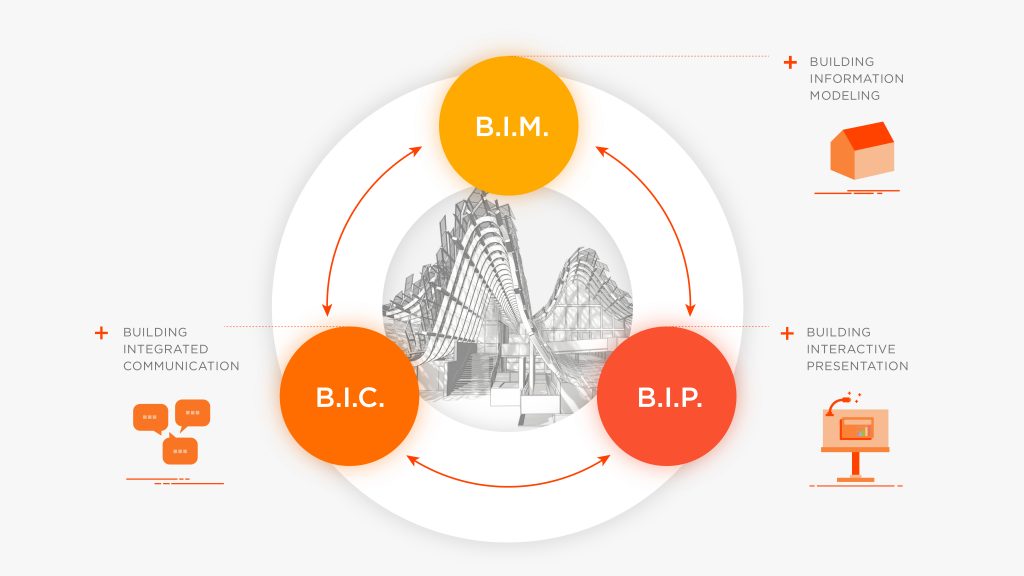
Multifunctional platforms are changing industry standards because they save time and create efficiencies. Interestingly, 95% of respondents agree that BIM will continue to have a huge impact, as well as BIC, BIP, and DAM for enhanced collaboration, reducing costs, and immersive presentations/showcasing. Building Integrated Collaboration (BIC), Building Immersive Presentation (BIP), and Design Asset Management (DAM) help to revolutionize workflows and equally involve all stakeholders in the design-build process for an effective and successful process.

Virtual Reality (VR)
Although the AEC industry may have initially been slow to adopt Virtual Reality (VR), it is now becoming a staple in the industry, allowing various disciplines to work together in order to understand designs better.

Touring models in Virtual Reality (VR) has become a key ingredient for engaging and immersing clients in realistic views of 3D designs. The research shows that this trend is becoming more popular at earlier stages in the design review process. In fact, 75% of respondents agree that VR makes client presentations more interactive, thus promoting collaboration and participation in the AEC space throughout the process.

When VR is used both internally to explore unbuilt designs with colleagues, as well as externally to collaborate with clients, contractors, or even non-CAD users, everyone is more involved and communication is clearer.

Predictions for the future
Rapid changes are already occurring in the AEC industry. So, it’s no surprise that these trends will continue to grow and software will continue to be a major component in the making of buildings and infrastructure. In the next half-decade, digital skills are crucial for winning new clients and shaping the future to be smart and useful. 

Additionally, collaboration software will be necessary for all stakeholders to access and host designs without prior knowledge of CAD. The time required to learn new software is a challenge for firms, therefore new tools should be stronger, straight-forward, and have a robust onboarding process to guide them through early stages of implementation.

Finally, IT and BIM Managers will continue to grow in firms to increase productivity, adopt new software for creating cutting-edge designs, and enhance the overall design process in firms of any size.

As a reminder, you can download the eBook and infographic as a PDF.

5 Amazing Things You Never Knew About Steel

Steel is what is classified as an alloy metal, made from iron and other materials which primarily include carbon. Due to its high tensile strength, and low cost, steel is widely utilized in a number of different ways in this day and age, which includes the utilization of steel in the development of new technologies.

A significant number of industries rely on steel, including the use of steel in such things as buildings, infrastructure, tools, ships, automobiles, machines, appliances, and weapons.

#1 Steel Expands Significantly When Heated
All metals expand, at least to some degree when they are heated. Ultimately, they reach a point at which the expansion moves to liquefaction. Mercury, a metal, is actually in a liquid state at room temperature.

Steel has an expansion level that is significant relative to many other metals. This is likely to have application in a number of areas, including when it comes to the use of steel in green technologies. The ability of steel to expand, even with more incremental increases in ambient temperature levels, is being analyzed and considered by researchers and inventors in the realm of advancing green energy technologies in the 21st century.

The Eiffel Tower is a prime illustration of the expansion rate of steel when it heats up. The Eiffel Tower is actually a full six inches taller in the summer time than is the case throughout other times of the year.

Image courtesy of Saurav Rastogi

#2 Steel is Amazingly Eco-friendly
A growing segment of the population is becoming more concerned with protecting the environment. These individuals continue to look for ways in which they contribute to protecting, and even bettering, the world around us. In this regard, the use of steel is a means of making a positive contribution to the environment.

At first blush, you might not think of steel as being associated with “going green” or protecting the environment. The reality is, thanks to technological advancements at the end of the 20th and into the 21st centuries, steel has become one of the most eco-friendly products available.

What’s more, steel can be reused time and again. Unlike many other metals, steel doesn’t lose any of its strength through the recycling process. This has made steel one of the most recycled items in the world today.

The net effect of the technological advancements that have resulted in the massive amount of steel being recycled each year is profound. Due to this evolution, the energy required to produce steel has been cut by more than half in the past 30 years. This has resulted in a significant benefit to the environment through reduced pollution through the utilization of far less energy.

Image courtesy of American Public Power Association

#3 Steel is Universal — Literally
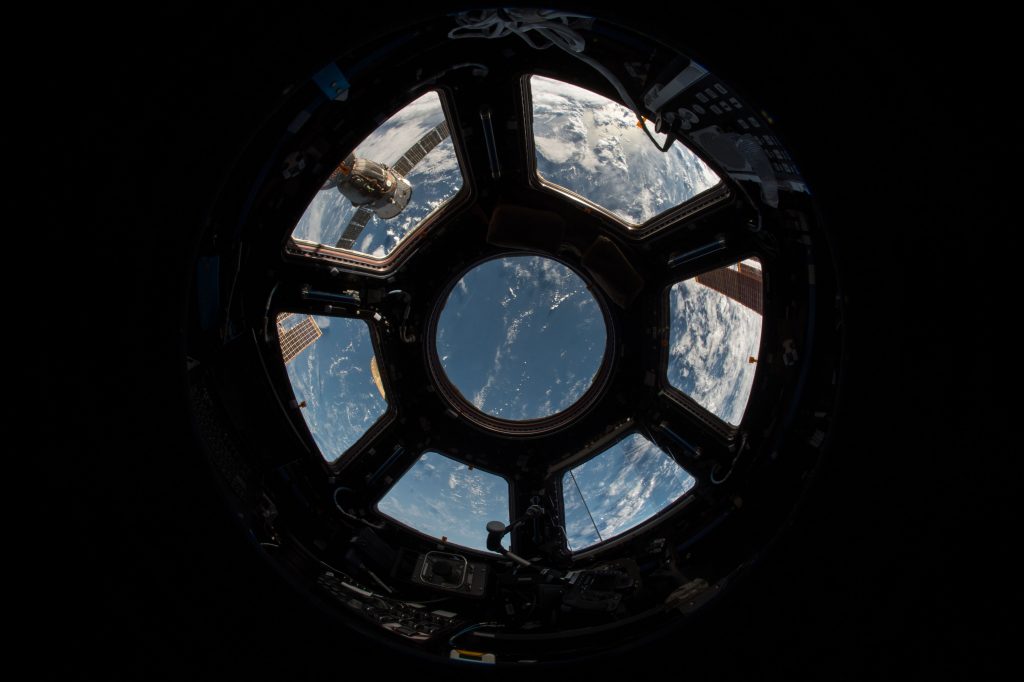
Not only is steel widely available and utilized on Earth, but scientists believe that it can be found throughout the universe. Indeed, scientists and researchers concluded that steel is the sixth most common element to be found in the universe.

Image courtesy of NASA

#4 Steel: It All Started Working on the Railroad
Steel is not only at the heart of many technological advances in the 21st century, it has been in such a position throughout history. Steel was one of the most important products needed to build the railroad system in the United State in the 1800s. The use of steel in building the rails resulted in one of the most significant advances in the commercial life of the United States, and the world.

Image courtesy of Tiago Gerkin

#5 Your Home: It’s a Steel Environment
You likely have not given this much thought, but your home is an environment that depends heavily on steel. Virtually any appliance in your residence has steel elements on it or in it. Indeed, the typical appliance in your home is likely to be composed of about 65% steel. This includes common appliances such as:

  • refrigerator
  • microwave
  • oven and stove
  • toaster

The reality is that even the computer you are reading this blog on contains a notable amount of steel. The typical computer is comprised of about 25% steel.

Recently, there has been a movement towards installing steel pipes in residences as well. In fact, there is an array of different derivations of steel used for residential, commercial, and industrial pipe installations. Further, technological advances in regard to residences are also utilizing steel, including utilizing steel in more effective insulation panels.

Image courtesy of Naomi Hébert

Jessica Kane is a professional blogger who writes for Federal Steel Supply, Inc., a leading steel tubing suppliers of carbon, alloy and stainless steel pipe, tubes, fittings and flanges.


New Features from Modelo to Improve Your Workflow: October

New Modelo Features to Improve Your Workflow

Modelo’s latest release empowers your design workflow with improvements that save you time and create efficiencies for you and your clients. These intuitive improvements include easy model re-uploading, PDF present mode, embeddable panorama images, and a metric-focused project overview page.

As a reminder, these updates will be deployed at 9:00pm (EST/UTC/GMT -5) on Thursday, November 2nd, 2017. At this time, Modelo will be unavailable for up to 30 minutes.

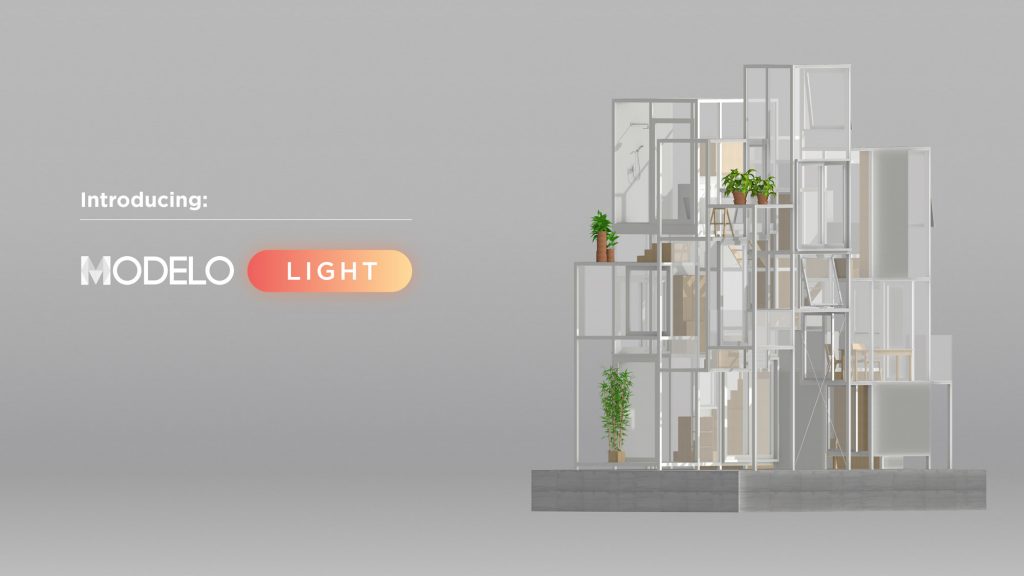
Introducing Modelo Light!
Modelo Studio now has a new name… Modelo Light! It will remain a streamlined presentation tool for CAD users. As a reminder, with this plan, users can creative interactive 3D presentations, share them with a simple URL link, and even hide information that’s not ready to share with stakeholders.

Embed 360º Tours and View in VR
When you customize your 3D model page to include your company logo, the branding will then carry into your embedded panorama images. This allows you to host and showcase custom tours on your website or brand your projects for presentations.

What’s more, you can not only view panorama images in VR, but now you can now virtually walk through 360º tours in VR by clicking on the orange hotspots and creating immersive tours for clients, colleagues, or contractors. Learn more by creating your first 360º tour today!

Plus, even embed or share your 360 tours or 3D models on your website with your custom branding.

Re-uploading Models
Undoubtedly, models and projects go through many different phases throughout the design process. Once you’ve shared your model with a client or colleague, there is still a chance that another version is on its way. We’ve saved you the hassle of re-uploading and recreating settings or comments.

Now you can re-upload your model to include the same comments or settings, without changing the URL link that you previously sent. Meaning, your client or colleagues can still use the same URL even when there are changes being made. If that’s not efficiency at it’s finest, we don’t know what is.

Walkthrough Settings
If you made changes on your 3D model, you can now create walkthroughs that mirror either the default settings or other settings you’ve made. With the click of a button, you can change walkthrough settings, allowing you to save even more time to spend on designing.

Project Overview Page
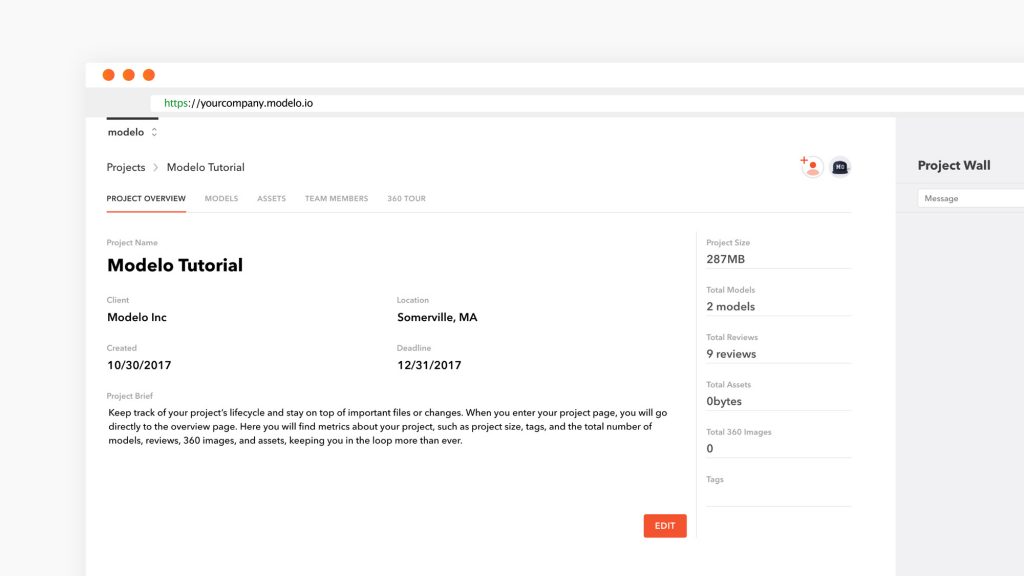
Keep track of your project’s lifecycle and stay on top of important files or changes. When you enter your project page, you will go directly to the overview page. Here you will find metrics about your project, such as project size, tags, and the total number of models, reviews, 360 images, and assets, keeping you in the loop more than ever.

PDF Present Mode
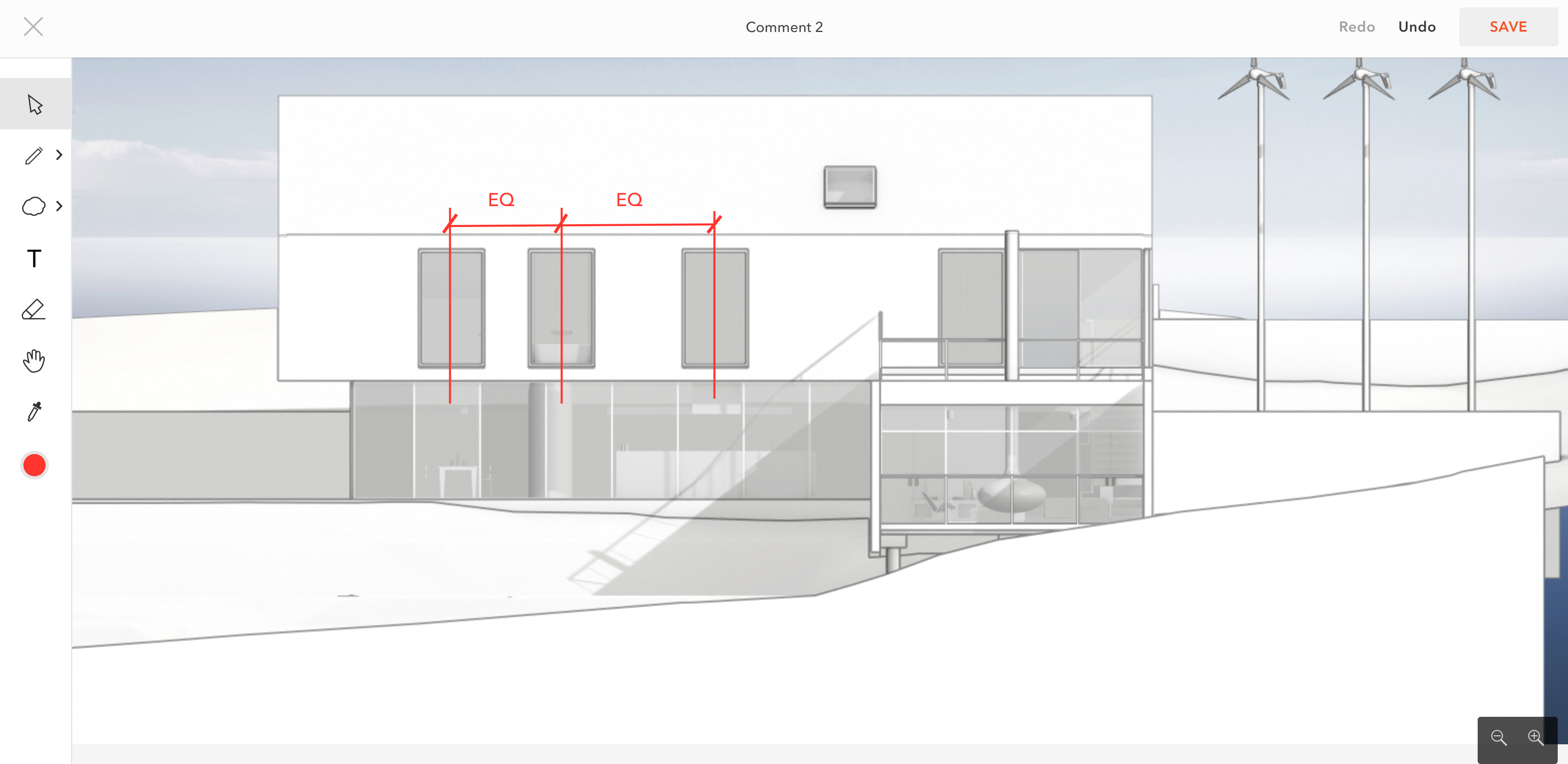
Marking up PDF files in the browser has been possible with Modelo for some time now. But what if you want to present a PDF with red lines to stakeholders during design reviews? Now Modelo’s PDF Present Mode offers a smooth interface that enables you to go full screen to focus solely on the PDF, and not be distracted by other tabs in the browser or the toolbar.

List and Grid View
View projects, models, assets and panoramas in a list or grid view, so it’s effortless to find the project that you’re looking for in the style you prefer.

Lastly, we wanted to let all of our users know that as of November 2, 2017, Modelo’s mobile apps will be retired. We apologize if this causes any inconvenience, however we’ve decided to dedicate our time and resources to focusing on successfully operating our web app for all Modelo users to enjoy.

Markup PDF Files in the Cloud

Markup PDF files in the cloud with Modelo.

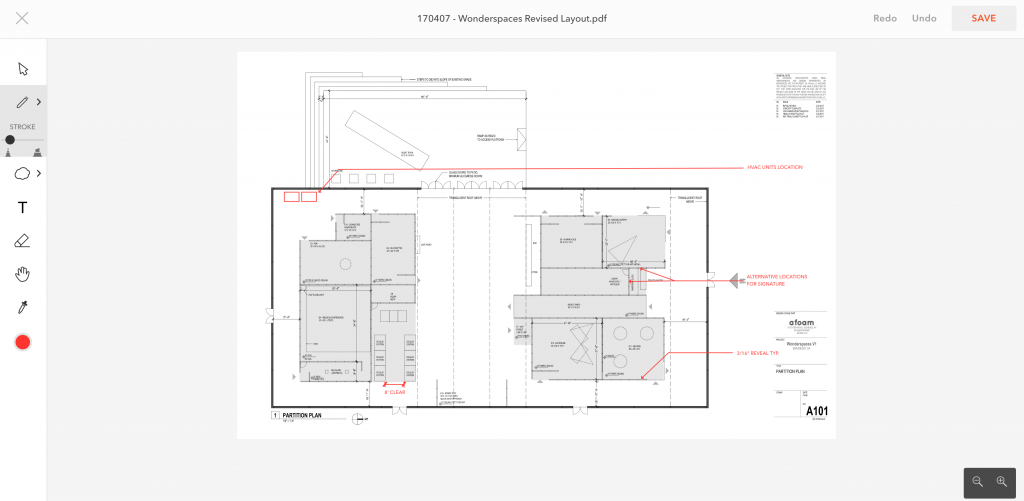
Marking up PDF files, as well as picking up redlines, comes as second nature to architects. Drawings, renderings, floor plans, construction documents and other PDF files are important assets in the design process. In the past, the review process has involved a tedious process of emailing, printing, creating redlines on paper with a red pen and then interpreting that feedback to make changes.

While the physical act of creating redlines with a red pen on paper may be nostalgic and classic, it is not progressive in the sense that these markups are not easily shared with colleagues to move further along in the design process quicker. What if there was an easier way to make valuable markups on PDF documents in the cloud and eliminate the wait time for feedback?

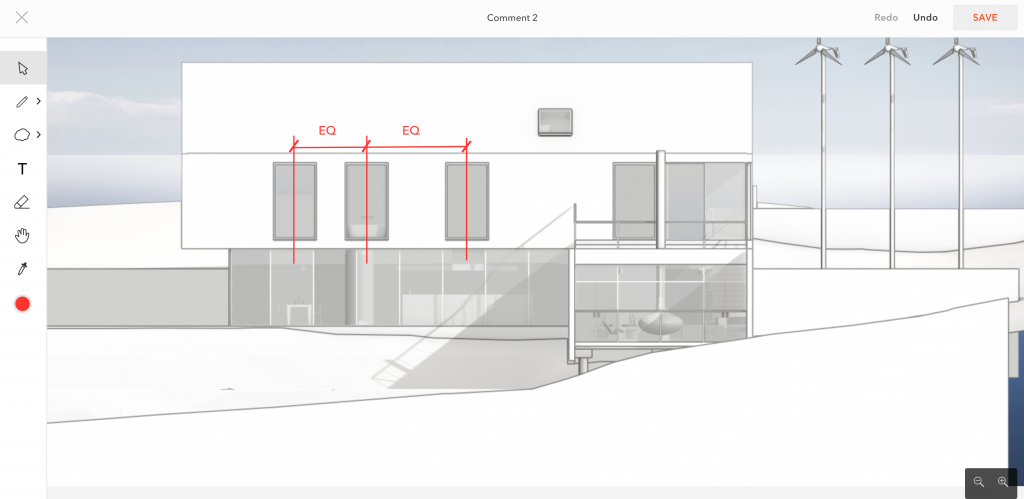
With Modelo’s PDF markup tool, architects can make redlines on PDF files in the cloud and leave detailed notes, insert shapes and use a color picker on specific areas of the PDF (or any file format for that matter). What’s more, they can also store, manage and share all other design information in one place using Modelo’s Design Asset Management platform. Users can store edited PDF files alongside 3D models, renderings, 360º images and animated walkthroughs together in the cloud, and share it all in Modelo or with a unique URL. Plus, never worry about losing a piece of paper, missing an important design detail or costly rework down the road if the team is not on the same page because all communication is recorded in a centrally accessible location.

Markup PDF files in the cloud with Modelo.

Let’s quickly go over the PDF Markup toolbar (top to bottom), outlined on the left-hand side.

    1. The arrow brings you back to a neutral cursor.

2.  Use the pen or highlighter function in the color of your choice. Red is, of course, the default color.

3. Add an arrow, line, wavy bubble, rectangle or circle shape to any area of the PDF and change the width of the line to suit your preferences.

                4. Add a textbox to call out certain areas of the PDF and change the size of the font with ease. What’s more, the text is extremely easy to edit digitally, so you don’t have to worry about crumbling up that piece of paper and starting over.

                 5. Use the eraser function when you want to undo a redline; unlike hand drawings, this is easier to do digitally.

                  6. Use the hand icon to pan around the PDF and move to specific spots of the document.

                   7. Use the eyedropper to pick up on any color in the document or rendering and match the redlines to that color to keep everything unified.

                    8. The colored circle represents the color your redlines are being produced in currently. You can change this any time by using the color wheel.

Now that you have a fundamental understanding of Modelo’s PDF Markup tool, it’s time to start creating your own. To get started, simply log in to your own account (or create one for free), upload the PDF file to the assets folder and begin creating redlines in the cloud.

View 360º Panorama Images in VR with Modelo

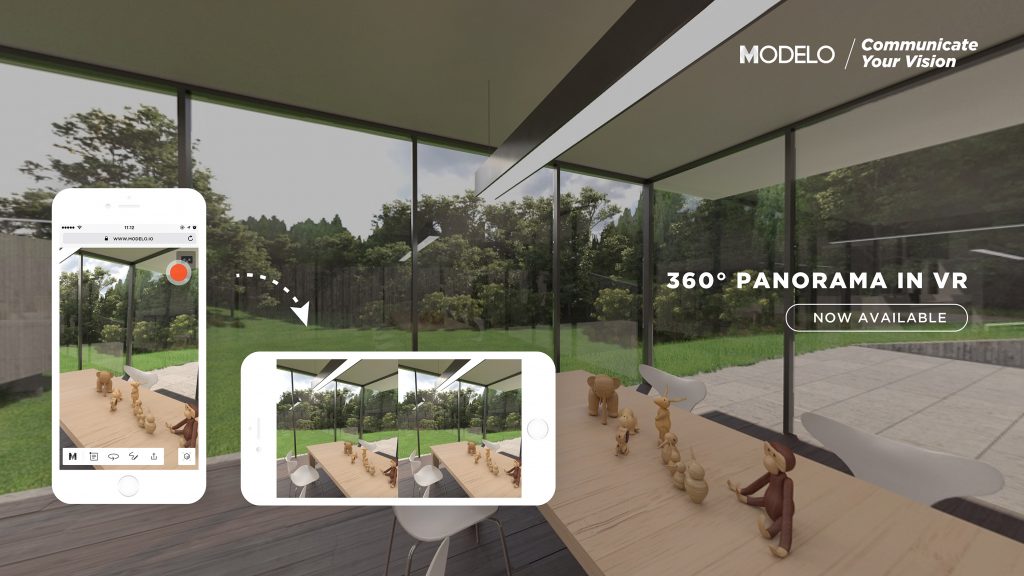
Modelo now supports 360º panorama image viewing across various devices and also allows you to view in 360º images in VR. Basically all you need to do is generate your 360º panorama images from the software you already use and from there you can directly upload to Modelo and view them instantly. 

Get familiar with the following articles and videos about how to upload panorama images from some of the major CAD software you already use.

For Revit users to generate 360º panorama images for Modelo, read this: http://pano.autodesk.com/

For SketchUp users to generate 360º panorama images for Modelo, read this article: http://info.stickyworld.com/blog/creating-360-panoramic-renders-in-v-ray-sketchup-to-bring-into-stickyworld. Note: you will need an extra plugin to generate 360º panorama images, we recommend to use V-ray to render it. 

For 3ds Max users to generate 360º panorama images for Modelo, watch this video: https://youtu.be/B8IsX0vS1Uk. Note: you will need an extra plugin to generate 360º panorama images, we recommend to use V-ray to render it. 

For Rhinoceros users to generate 360º panorama images for Modelo, watch this video: https://youtu.be/EoGQoml_u0M. Note: you will need an extra plugin to generate 360 panorama images, we recommend to use V-ray to render it. 

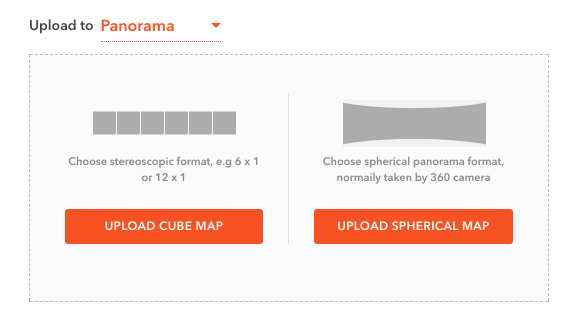
Once you have the panorama image in the formats we support (stereoscopic or spherical), it’s extremely easy to upload to Modelo! Simply log into your Modelo account and choose the project you want to upload your 360º images to. Then click the “Assets” tab. You will find the “Upload Panorama” button. Click it and choose the format of the 360º panorama images you have, hit upload and you are good to go.

Refresh the page and you will find the 360º panorama images you just uploaded under the assets tab. You can then immediately click on it and view it, no matter what device you are on, such as your laptop, tablet or phone.

Let’s use the phone for example. In the top right corner, there is a Google Cardboard icon. Tap on it and rotate your phone 90 degrees, then slide it into a Google Cardboard (which is a much sleeker option than other headsets). In a couple short minutes, you can view 360º panorama images in VR, be inside your design before it’s built and immerse project stakeholders in your design.

4 Tools to Help you Create Beautiful Renderings with Modelo

Renderings are a complementary tool during the design review process because they help bring the design to life, along with 3D models, panorama images and other design assets, presented in the right context. Modelo renders 45 times faster than other tools and offers rendering tools that allow users to see different design options and make design tweaks at any stage of the process. Outlined below are 4 tools to help you create beautiful renderings with Modelo.

Customize your background with Modelo and even upload your own logo.

  1. Customizable Backgrounds
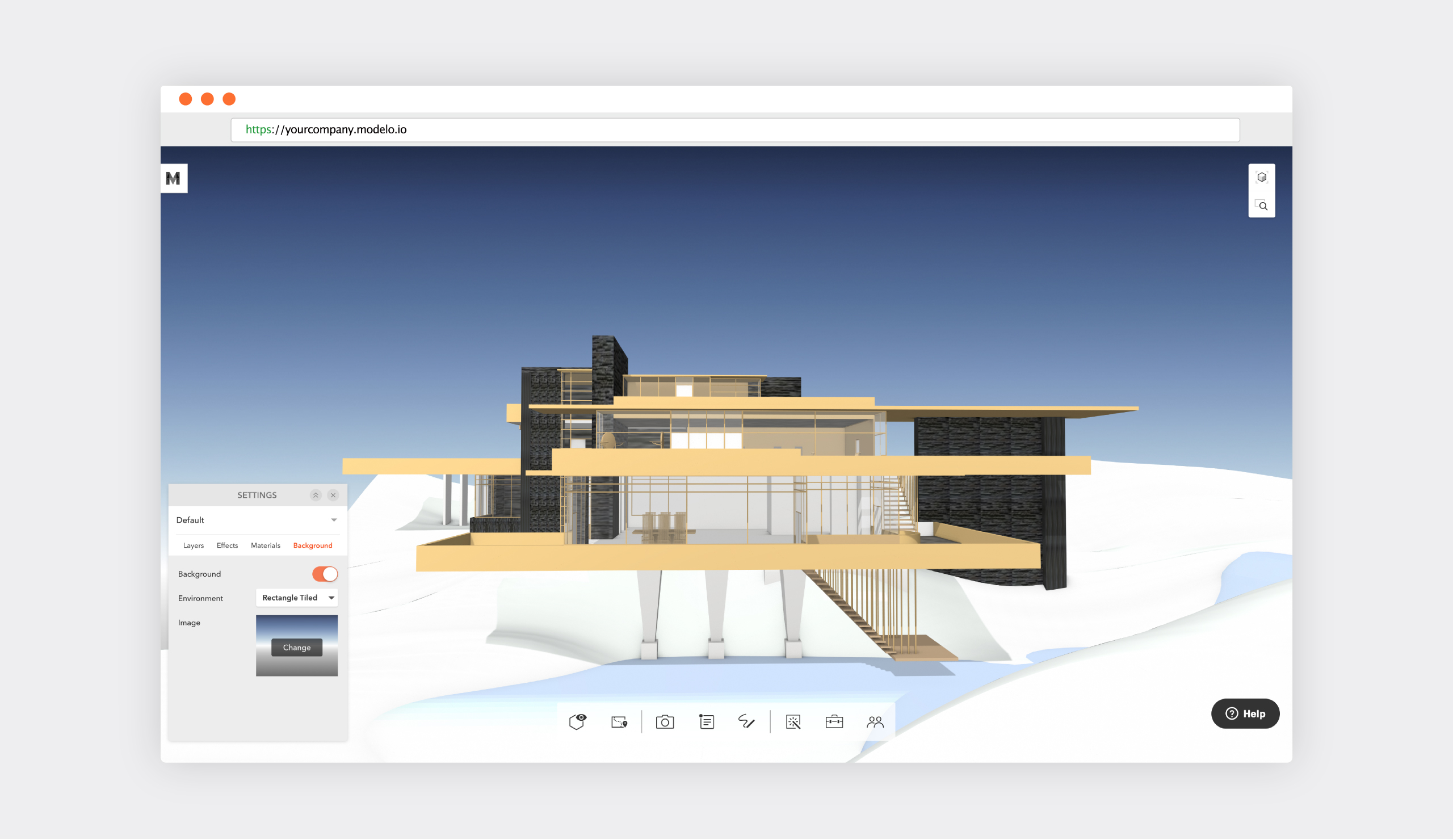
    Once you’ve uploaded your 3D model, upload a background image to truly immerse stakeholders in a real life view of your design. You can choose from the preset backgrounds that Modelo offers, such as morning fog or midnight L.A., or you can upload your own background such as a company logo to create a branded presentation. Note: customizable backgrounds is a paid feature, learn more by reaching out to hi@modelo.io today.
    Upload 360º panorama images to Modelo and immerse project stakeholders in your design.
  2. Panorama Images
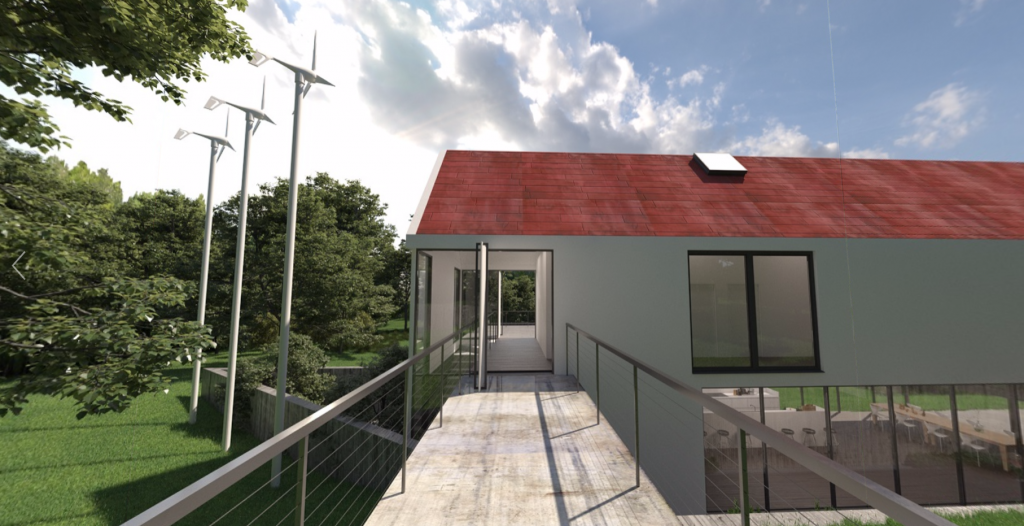
    360º images are much more realistic than 2D renderings and allow stakeholders to get a better spatial understanding of the design. Plus, 360º give the same effect of being immersed in the design, but are less clunky than VR headsets. Modelo is compatible with any panorama image. What’s more, you can attach panorama images to comment cards to provide context during presentations and also view in virtual reality.
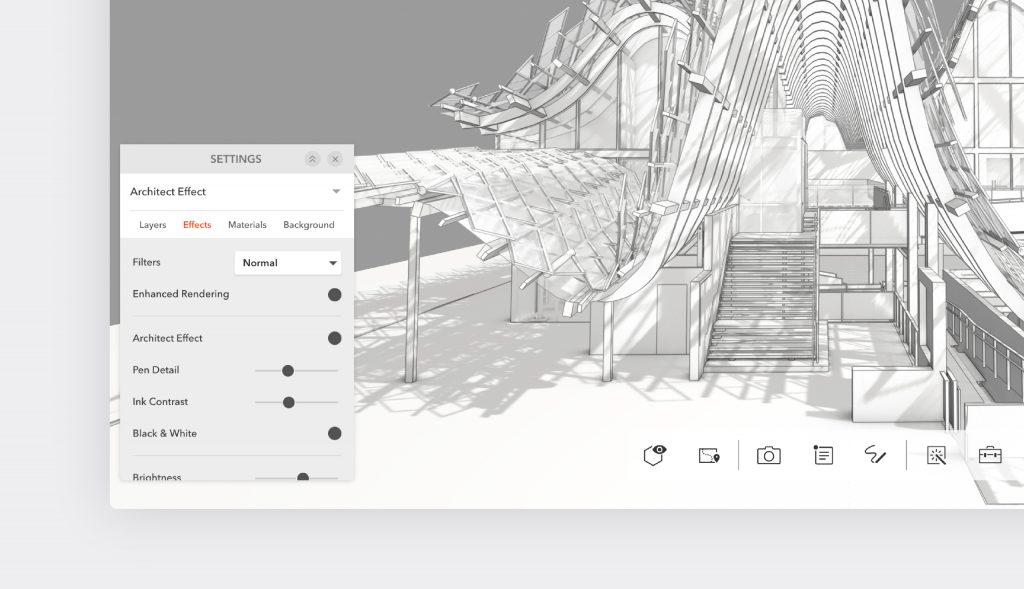
    Use Architect Effect to get your desired effect with pen detail and enhanced rendering in Modelo.
  3. Architect Effect
    There are many filters in Modelo, such as blueprint or grayscale. But the Architect Effect filter provides a clean, minimal hand-drawn look to the design and enhances pen detail. Designs can be viewed in black and white or in color.
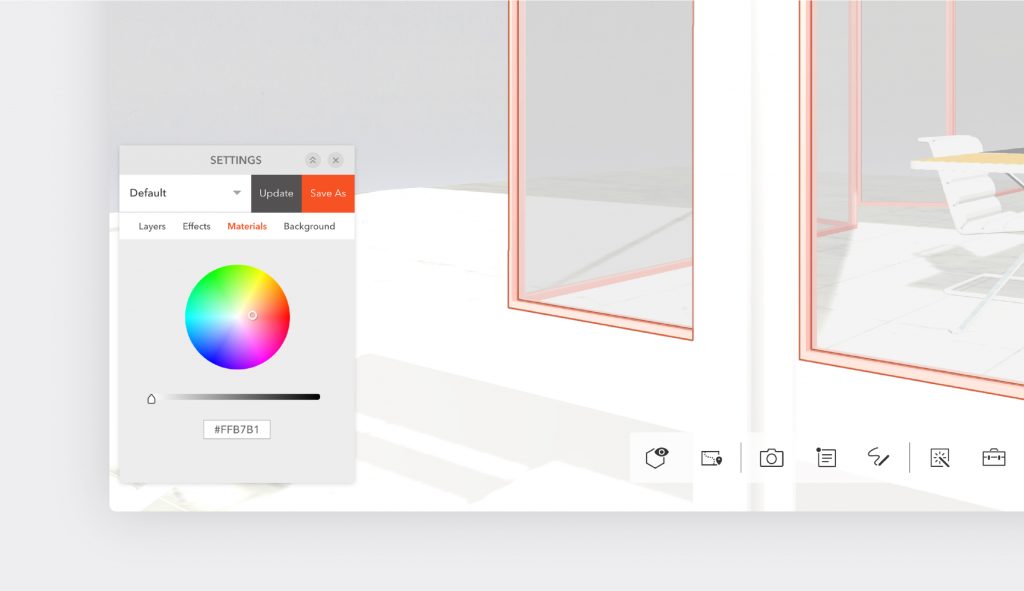
  4. Advanced Design Settings
    With Modelo’s advanced design settings, users can adjust the lighting, change material colors, turn layers on and off, or apply filters. Modelo users can save their settings and update as the default to then revisit the next time they want to access it. Then simply create some comment cards and move through the presentation smoothly, toggling through different design options.

Next, learn about the 11 ways Modelo can help you be more productive and create your own account for free.

Why Architects Should Use 360º Panorama Images in Design Reviews?

360º panorama images are an emerging trend in architectural design. There are many different terms that describe the same thing: panoramic rendering, 360º rendering, stereoscopic rendering, panorama image, 360º image or monoscopic rendering. For now, we’ll refer to them as 360º panorama images. 

As with many new emerging technologies, 360º panorama images are often seen as an extra topping to decorate a final design package. Its immersive quality creates a good source of entertainment to our clients during a presentation. However, panoramic renderings have a lot more potential to enhance architects’ daily design workflow, and it does not require expensive and time-consuming setup when using Modelo.

Many of our clients have limited experience in spatial thinking and therefore have trouble visualizing the spaces we are designing. Producing a rendering is a good way to help them visualize the space, especially when it comes to describing materiality. However, it’s still somewhat limited when we want to discuss spatial relationships since it’s hard to describe a 3-dimensional quality using a single snapshot of a 2D image. This is where 360º panorama images can help.

360º images position the viewer directly in the space and context. They help to convey information about orientation, distance, size and height as the viewer rotates the screen. As designers, we all the situation of “manipulating” the rendering by using a wide-range lens to capture more design features into the scene. However, they are quite real because our human eyes do not see as much in real life. We get a sense of space by looking around and processing the information about distance to ourselves and about the size of the space. A panorama image, especially when paired with Virtual Reality, mimics this real life environment and makes it easy for everyone to understand the design intent.

By mimicking the real life environment, a 360º image helps us to make informed design decisions faster. In many design scenarios, it is hard to evaluate one option against another option only by looking at their plan differences. For example, in arranging seats for an auditorium, it is hard to evaluate how one seat can block the view of the adjacent seats from left to right, up, back, and in all angled directions. A panoramic rendering at the location makes this assessment easy and intuitive, especially with Modelo, by creating a panoramic experience in seconds.

Architectural design is inherently three-dimensional. We have long been confined with the tools of 2D representation, but a new wave of 3D presentation has already started and will define a new standard for the future of architectural representation.

Start upgrading your design reviews today and making informed design decisions quicker with Modelo.